Natural Reader transforms text to speech with human-like voices across multiple devices, making digital content accessible to everyone.
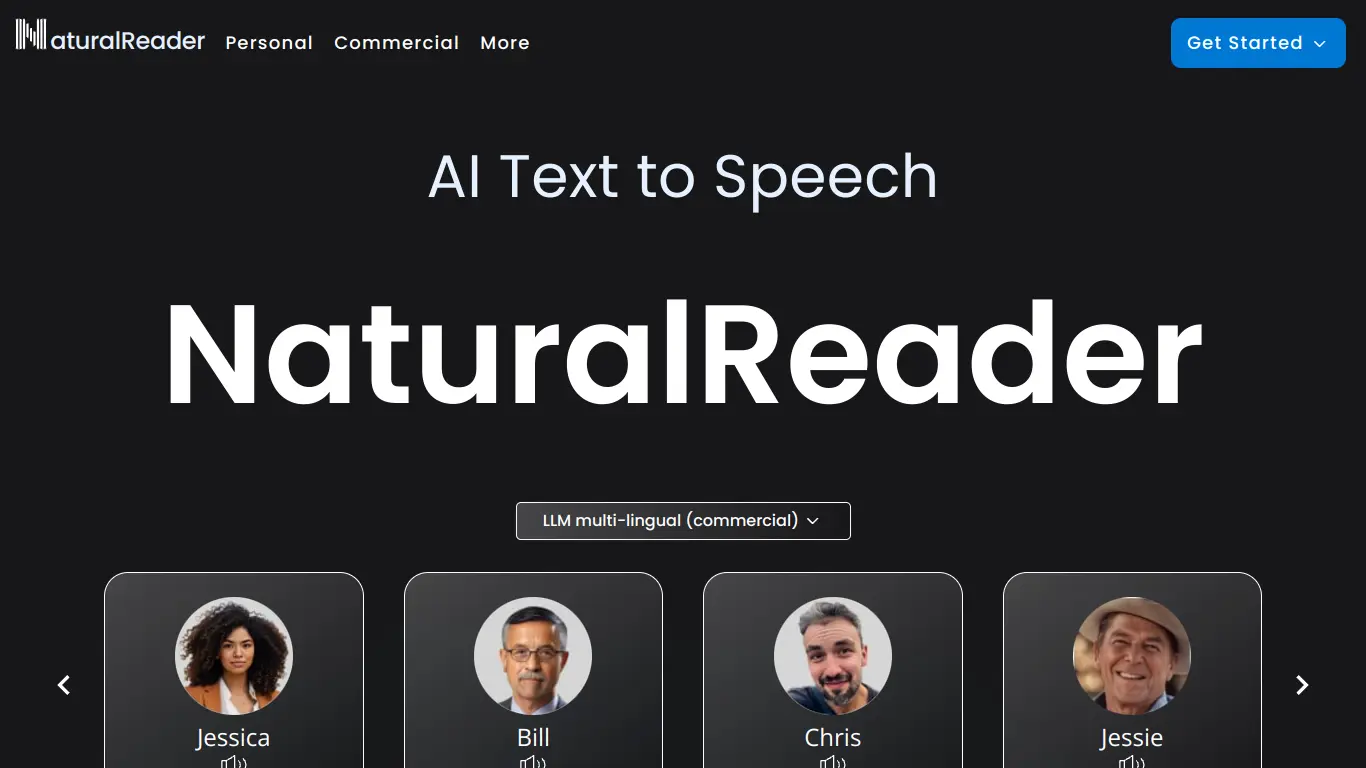
Consuming text content efficiently has become more important than ever. Whether you’re a student with dyslexia trying to get through study materials, a busy professional who needs to multitask, or someone who simply prefers audio learning, the need for quality text-to-speech solutions is growing. That’s where Natural Reader comes in – a powerful text-to-speech tool designed to make digital content more accessible and easier to consume.
As someone who’s spent countless hours testing various accessibility tools, I’ve found that not all text-to-speech solutions are created equal. Many offer robotic voices that are difficult to listen to for extended periods, while others lack the flexibility needed for different use cases. If you’ve been frustrated by these limitations, you’re not alone. Let’s explore how Natural Reader addresses these pain points and whether it might be the solution you’ve been searching for.
Introduction to Natural Reader
What is Natural Reader and its Purpose?
Natural Reader is a comprehensive text-to-speech software that converts written text into spoken words using realistic human-like voices. Unlike basic screen readers, Natural Reader offers premium voices that sound remarkably natural, making the listening experience much more pleasant and engaging.
The core purpose of Natural Reader is to make text content accessible to everyone. It serves as a reading assistant that can read aloud any text from documents, webpages, PDFs, emails, and more. By converting text to speech, it helps users absorb information more effectively, especially for those who learn better through auditory means.
Natural Reader stands out because it doesn’t just read text – it reads it naturally, with appropriate intonation, rhythm, and pronunciation that mimics human speech patterns. This makes it particularly valuable for those who need to consume large amounts of text without eye strain or for individuals with reading difficulties.
Who is Natural Reader Designed For?
Natural Reader caters to a diverse audience with varying needs:
- Students with learning disabilities (such as dyslexia, ADHD, or visual impairments) who benefit from hearing text read aloud
- Language learners who want to improve pronunciation and listening comprehension
- Busy professionals who need to multitask and consume content while doing other activities
- Content creators looking to convert written content into audio format
- Elderly individuals who may struggle with reading small text
- People with visual impairments who need assistance with reading digital content
- Auditory learners who retain information better when they hear it
- Publishers and educators creating accessible learning materials
The tool’s versatility makes it suitable for both personal and professional use across different age groups and abilities.
Getting Started with Natural Reader: How to Use It
Getting started with Natural Reader is straightforward:
- Visit the website: Go to Natural Reader’s official website.
- Choose your preferred platform: Natural Reader is available as:
- Online web application (no download required)
- Desktop application for Windows and Mac
- Mobile app for iOS and Android
- Chrome extension
- For the online version:
- Simply paste text into the reader box
- Or upload a document (PDF, Word, etc.)
- Or enter a website URL to have web content read aloud
- Select a voice: Choose from various natural-sounding voices in different languages and accents.
- Adjust settings: Customize the reading speed, highlight color, and other preferences to suit your needs.
- Start listening: Click the play button to have your text read aloud with natural pronunciation and intonation.
For more advanced features, you may need to create an account or upgrade to a premium plan, but the basic functionality is accessible immediately without any complicated setup process.
Natural Reader’s Key Features and Benefits
Core Functionalities of Natural Reader
Natural Reader offers a robust set of features that set it apart from basic text-to-speech tools:
- High-Quality Natural Voices: Access to premium, human-sounding voices that reduce listener fatigue.
- Multiple File Format Support: Can read aloud from:
- PDFs
- Word documents
- PowerPoint presentations
- Text files
- Web pages
- Emails
- RTF files
- eBooks
- OCR Technology: Can convert scanned documents and images containing text into readable content.
- Text Highlighting: Synchronized highlighting of text as it’s being read, which helps with focus and comprehension.
- Reading Controls:
- Adjustable reading speed
- Play/pause/skip controls
- Voice selection
- Volume control
- Multilingual Support: Voices available in multiple languages including English (with various accents), Spanish, French, German, Italian, and more.
- Audio File Creation: Convert text to MP3 files for on-the-go listening (premium feature).
- Floating Bar: Mini player that stays on top of other applications for convenient control.
- Chrome Extension: Read any web content directly without copying and pasting.
- Voice Customization: Adjust pitch, speed, and volume to personalize the listening experience.
Advantages of Using Natural Reader
🎧 Improved Accessibility: Makes written content accessible to people with visual impairments, dyslexia, and other reading difficulties.
⏱️ Time Efficiency: Allows for consumption of written material while multitasking or on the go.
🧠 Enhanced Comprehension: Hearing text while reading can improve understanding and retention by engaging multiple senses.
👁️ Reduced Eye Strain: Gives your eyes a break from screen reading, especially beneficial for long documents.
🔄 Proofreading Assistance: Helps catch errors in your writing by hearing how it sounds when read aloud.
🌎 Language Learning Support: Aids in pronunciation and listening comprehension for language learners.
💼 Professional Document Review: Facilitates more thorough review of business documents, contracts, and reports.
🎓 Educational Support: Provides alternative learning methods for students with different learning styles.
🔊 Natural-Sounding Voices: Less robotic than most text-to-speech tools, creating a more pleasant listening experience.
Main Use Cases and Applications
Natural Reader serves a wide range of practical applications:
| Use Case | Application |
|---|---|
| Education | Students use it to absorb textbooks and study materials more effectively |
| Content Creation | Writers and bloggers use it to proofread and edit their work |
| Accessibility | Makes digital content accessible to those with visual impairments or reading difficulties |
| Professional Work | Helps professionals review documents while multitasking |
| Language Learning | Assists in proper pronunciation and listening practice |
| E-Learning | Converts written courses into audio formats for alternative learning |
| Audiobook Creation | Transforms written content into listenable format |
| Research | Enables researchers to consume large volumes of text more efficiently |
| Daily Productivity | Allows consumption of news, articles, and information while doing other tasks |
| Content Localization | Helps verify how content sounds in different languages |
These diverse applications demonstrate Natural Reader’s flexibility and utility across personal, educational, and professional contexts.
Exploring Natural Reader’s Platform and Interface
User Interface and User Experience
Natural Reader’s interface is designed with simplicity and functionality in mind, making it accessible to users of all technical abilities.
Web Application Interface:
The online version features a clean, intuitive layout with:
- A large text area where users can paste or type content
- Clearly visible control buttons (play, pause, stop)
- Voice selection dropdown with preview options
- Speed adjustment slider
- Document upload button for supported file formats
- Text highlighting options
Desktop Application:
The desktop version offers a more robust interface with:
- File management system for organizing documents
- Advanced customization settings
- Better performance for larger documents
- Mini player option that stays on top of other applications
- More extensive voice options
Mobile Application:
The mobile apps provide:
- Streamlined interface optimized for smaller screens
- Gesture controls for easier navigation
- Integration with phone’s document system
- Option to listen in the background while using other apps
The user experience across all platforms prioritizes ease of use with a minimal learning curve. First-time users can typically start using the basic features within minutes without needing to consult help documentation.
Platform Accessibility
Natural Reader demonstrates a strong commitment to accessibility across multiple platforms:
Cross-Platform Availability:
- 💻 Windows desktop application
- 🍎 macOS desktop application
- 📱 iOS mobile app
- 🤖 Android mobile app
- 🌐 Web-based application accessible from any browser
- 🔌 Chrome extension for direct webpage reading
Accessibility Features:
- Keyboard shortcuts for users with motor limitations
- High contrast options for visually impaired users
- Compatible with screen readers for blind users
- Customizable text size and font options
- Support for various document formats ensures broad content accessibility
Language Support:
Natural Reader supports over 20 languages including:
- English (US, UK, Australian, Indian accents)
- Spanish
- French
- German
- Italian
- Portuguese
- Japanese
- Chinese
- Korean
- And many more
This multilingual support makes the tool accessible to a global audience and particularly valuable for international organizations and educational institutions serving diverse populations.
Natural Reader Pricing and Plans
Subscription Options
Natural Reader offers tiered pricing to accommodate different user needs and budgets:
| Plan | Features | Price |
|---|---|---|
| Free | Basic web reader, Limited voices, Basic reading controls | $0 |
| Premium | Premium voices, No ads, Higher word count, Convert to MP3 | $99.50/year |
| Premium+ | All Premium features, OCR, Additional premium voices | $199.50/year |
| Ultimate | All features, Maximum voices, Commercial use license | $249.50/year |
| Education & Business | Volume licensing, Advanced administrative features | Custom pricing |
The company also offers one-time purchase options for their desktop software:
- Personal ($129.95): For individual non-commercial use
- Professional ($249.95): For commercial use with more premium voices
- Ultimate ($349.95): All available voices and features
For organizations, Natural Reader provides volume licensing with discounts for education, non-profits, and enterprise customers.
Free vs. Paid Features
Understanding what you get with each tier helps determine which plan best suits your needs:
Free Version Includes:
- Basic web reader functionality
- Limited selection of voices (primarily computerized)
- 10-minute listening limit per session
- Basic reading controls (play, pause, stop)
- Advertisements present in the interface
- Limited document upload size
- No OCR capability
- No ability to save audio files
Paid Versions Add (Depending on Tier):
- High-quality natural-sounding premium voices
- Ad-free experience
- Unlimited listening time
- Full document format support
- OCR technology for reading scanned documents
- MP3 conversion for offline listening
- Higher upload size limits
- Commercial usage rights
- Advanced customization options
- Priority customer support
- Multiple device synchronization
- Floating bar for easier multitasking
- Chrome extension for reading web content
- Bookmarking and annotation features
The free version is suitable for occasional use or to test the service, while regular users, especially those using it for professional or educational purposes, will benefit significantly from the paid plans’ additional features and higher-quality voices.
Natural Reader Reviews and User Feedback
Pros and Cons of Natural Reader
Based on extensive user feedback and expert evaluations, here’s a balanced assessment of Natural Reader’s strengths and limitations:
Pros:
✅ Voice Quality: Premium voices sound remarkably natural compared to many competitors
✅ Multiple Format Support: Handles various document types including PDFs, web pages, and images
✅ Easy to Use: Intuitive interface requires minimal technical knowledge
✅ Cross-Platform Availability: Available on multiple devices and platforms
✅ Offline Capability: Desktop version works without internet connection
✅ Multilingual Support: Offers voices in numerous languages and accents
✅ OCR Technology: Can read text from images and scanned documents
✅ Reading Speed Control: Adjustable to user preference
✅ MP3 Conversion: Ability to save audio for later listening (in paid versions)
✅ Text Highlighting: Visual tracking of text being read
Cons:
❌ Pricing Structure: Premium features are relatively expensive compared to some alternatives
❌ Free Version Limitations: Significant restrictions on the free tier
❌ Mobile App Performance: Some users report occasional bugs in the mobile applications
❌ Limited Voice Customization: Less flexibility in adjusting voice characteristics than some specialized tools
❌ OCR Accuracy: Occasionally struggles with complex layouts or poor-quality scans
❌ Customer Support: Some users report delayed response times
❌ Learning Curve for Advanced Features: While basic functions are easy, some power features require exploration
❌ Large File Handling: Can slow down with very large documents
User Testimonials and Opinions
Real user feedback provides valuable insights into how Natural Reader performs in everyday use:
“As someone with dyslexia, Natural Reader has been a game-changer for my graduate studies. The natural-sounding voices make it possible for me to get through academic papers without the fatigue I used to experience. Worth every penny of the Premium subscription.” – Sarah K., Graduate Student
“I use Natural Reader daily to proofread my content. Hearing my writing read back to me helps catch errors my eyes miss. The Chrome extension is particularly useful for quickly checking emails and online content.” – Michael T., Content Creator
“The OCR feature has some limitations with complex layouts, but for standard documents, it’s a lifesaver. I’ve digitized years of printed materials using this tool.” – David L., Researcher
“We implemented Natural Reader across our special education department and have seen marked improvements in student engagement with reading materials. The multilingual support has been particularly valuable for our ESL students.” – Jennifer W., Education Administrator
“While I love the desktop software, I find the mobile app sometimes crashes with larger documents. Customer service was helpful but slow to respond to my issues.” – Robert P., Business Professional
“The free version is quite limited, but it gave me enough of a taste to know the premium version would be worth it. The voice quality is noticeably better than other TTS tools I’ve tried.” – Amanda G., Freelance Writer
The general consensus indicates that Natural Reader excels in voice quality and ease of use, making it particularly valuable for accessibility purposes and professional content review, though some users find the premium pricing steep and have encountered occasional technical issues with specific features or platforms.
Natural Reader Company and Background Information
About the Company Behind Natural Reader
Natural Reader is developed and maintained by NaturalSoft Limited, a technology company focused on accessibility solutions and text-to-speech software. Founded in 2003, the company has established itself as a significant player in the digital accessibility space.
Company Mission:
NaturalSoft’s stated mission is to make digital content accessible to everyone, regardless of reading ability, visual impairment, or learning differences. They focus on developing technology that sounds natural and human-like to improve the listening experience.
Development History:
- 2003: Initial launch of Natural Reader with basic text-to-speech capabilities
- 2007: Introduction of premium voices and document format support
- 2010: Launch of the first mobile applications
- 2013: Addition of OCR technology for reading text from images
- 2016: Development of more natural-sounding voice technology
- 2018: Introduction of the Chrome extension for web reading
- 2020: Major updates to voice quality and expansion of language options
- 2022: Enhanced cloud capabilities and cross-device synchronization
Company Values:
NaturalSoft emphasizes accessibility, quality, and user experience in their product development. They actively collaborate with accessibility advocates and educational institutions to improve their technology, particularly for users with disabilities.
Leadership and Team:
The company maintains a relatively low public profile regarding its leadership structure. They operate with a distributed team of developers, voice actors (for recording natural voice samples), linguists, and accessibility experts across multiple countries.
Partnerships:
Natural Reader has established partnerships with:
- Educational institutions for special needs programs
- Publishing companies for accessible content creation
- Accessibility organizations and advocacy groups
- Corporate clients for workplace accommodation solutions
The company continues to focus on refining its voice technology to create increasingly natural-sounding speech, with particular emphasis on expanding language support and improving pronunciation accuracy for specialized vocabulary in fields like medicine, law, and technology.
Natural Reader Alternatives and Competitors
Top Natural Reader Alternatives in the Market
If you’re exploring options beyond Natural Reader, several strong alternatives offer different strengths and pricing models:
- Read&Write: A comprehensive literacy support tool with text-to-speech, word prediction, and study tools. Particularly strong in educational settings.
- Voice Dream Reader: Popular mobile-focused solution with excellent voice quality and document organization features.
- Speechify: Known for its extremely natural-sounding voices and strong mobile experience.
- Capti Voice: Education-focused with strong classroom management features and integration with learning platforms.
- Balabolka: Free desktop software with extensive customization options (Windows only).
- Amazon Polly: Developer-oriented service with API access to extremely natural voices.
- ClaroRead: Comprehensive literacy support with strong PDF reading capabilities.
- NaturalReader Online: Web-based version with free tier available.
- TextAloud: One-time purchase desktop software with extensive voice options.
- ReadSpeaker: Enterprise-focused solution for websites and learning content.
Each alternative has its own strengths, and the best choice depends on your specific use case, platform preferences, and budget constraints.
Natural Reader vs. Competitors: A Comparative Analysis
To help you make an informed decision, here’s how Natural Reader stacks up against its top competitors:
| Feature | Natural Reader | Speechify | Voice Dream | Read&Write |
|---|---|---|---|---|
| Voice Quality | High-quality natural voices | Extremely natural AI voices | Very good natural voices | Good quality voices |
| Platform Support | Web, Desktop, Mobile, Chrome | Web, Desktop, Mobile, Browser extensions | Primarily Mobile-focused | Desktop, Mobile, Browser extensions |
| Free Option | Limited free version | Limited free tier | No free version | Free trial only |
| Pricing Model | Subscription or one-time purchase | Subscription only | One-time purchase (per platform) | Subscription |
| Annual Cost (Premium) | $99.50-$249.50/year | $139.99/year | $14.99 (iOS) + $19.99 (Desktop) | $145/year |
| OCR Capability | Yes (premium tiers) | Yes | Yes | Yes |
| Language Support | 20+ languages | 20+ languages | 30+ languages | 13 languages |
| Specialized For | Accessibility, document reading | Speed reading, productivity | Mobile document organization | Education, literacy support |
| Document Format Support | Excellent | Good | Excellent | Good |
| Additional Tools | Basic annotation | Summary features | Extensive library management | Complete literacy suite (dictionaries, highlighting, etc.) |
When Natural Reader Excels:
- If you need both web and desktop options with offline capability
- When reading various document formats is a priority
- If you prefer a one-time purchase option rather than subscription only
- When OCR for scanned documents is important
When Competitors Might Be Better:
- Speechify for the absolute most natural-sounding voices
- Voice Dream for primarily mobile users who need excellent library organization
- Read&Write for educational settings requiring comprehensive literacy support
- Balabolka for users on a tight budget needing a free desktop solution
Your specific needs, platform preferences, and budget will determine which solution provides the best value for your particular use case.
Natural Reader Website Traffic and Analytics
Website Visit Over Time
Natural Reader’s web presence has shown interesting patterns in recent years:
📈 Overall Trend: The Natural Reader website has experienced steady growth in traffic over the past five years, with notable seasonal patterns.
Monthly Traffic Range: Approximately 500,000 to 800,000 monthly visitors to the main website.
Seasonal Patterns:
- Traffic peaks during academic semesters (September-November and January-April)
- Notable dips during summer months and holiday periods
- Consistent year-over-year growth of approximately 15-20%
Growth Drivers:
- Increased awareness of accessibility needs
- Remote learning and working trends accelerated during the pandemic
- Expanded mobile usage and cross-platform availability
- Growing adoption in educational institutions
Geographical Distribution of Users
Natural Reader has a global userbase with concentration in English-speaking countries:
🌎 Top Countries by Traffic:
- United States (42%)
- United Kingdom (12%)
- Canada (8%)
- Australia (6%)
- India (5%)
- Germany (3%)
- France (3%)
- Brazil (2%)
- Japan (2%)
- Spain (2%)
Urban Concentration: Usage is particularly high in major metropolitan areas and university towns, reflecting adoption in educational and professional settings.
Growth Markets: The fastest-growing regions include India, Brazil, and Southeast Asian countries, where English language learning and digital accessibility are expanding rapidly.
Main Traffic Sources
Understanding how users discover Natural Reader provides insight into its market positioning:
🔍 Traffic Channel Breakdown:
- Organic Search: 65% (primarily through accessibility and text-to-speech related keywords)
- Direct Traffic: 18% (indicating strong brand recognition)
- Referral Traffic: 10% (educational institutions, accessibility resources, and partner sites)
- Social Media: 5% (primarily from YouTube tutorials and Facebook)
- Paid Search: 2% (limited advertising presence)
Key Referring Domains:
- Educational resource sites
- Assistive technology directories
- Dyslexia support forums
- Productivity tool comparison websites
- Language learning platforms
Search Keywords: Top organic search terms leading to the site include “text to speech,” “read PDF aloud,” “natural voice reader,” “dyslexia reading tools,” and “convert text to audio.”
This traffic data indicates Natural Reader has established a strong presence in the accessibility and educational technology sectors, with opportunities for further growth in emerging markets and through expanded partnerships with educational institutions.
Frequently Asked Questions about Natural Reader (FAQs)
General Questions about Natural Reader
Q: What exactly is Natural Reader?
A: Natural Reader is a text-to-speech application that converts written text into spoken words using natural-sounding voices. It can read documents, webpages, PDFs, and other text content aloud.
Q: Can I use Natural Reader on multiple devices?
A: Yes, Natural Reader offers cross-platform compatibility. You can access it via web browser, desktop applications (Windows and Mac), mobile apps (iOS and Android), and a Chrome extension. Premium subscriptions allow usage across multiple devices.
Q: Does Natural Reader work offline?
A: The desktop versions of Natural Reader can work offline after installation. The web version and mobile apps typically require an internet connection, though some premium features may have offline capabilities.
Q: How many languages does Natural Reader support?
A: Natural Reader supports over 20 languages including English (with multiple accents), Spanish, French, German, Italian, Portuguese, Chinese, Japanese, Korean, and more. Language availability varies by subscription tier.
Feature Specific Questions
Q: Can Natural Reader read PDFs with images?
A: Yes, Natural Reader includes OCR (Optical Character Recognition) technology in its premium tiers that can extract and read text from images and scanned PDFs.
Q: How do I convert text to an MP3 file with Natural Reader?
A: Premium subscribers can convert text to MP3 by using the “Convert to MP3” feature available in the desktop and online versions. Select your text, choose your preferred voice, and use the export or download option.
Q: Can I adjust the reading speed?
A: Yes, Natural Reader allows you to adjust the reading speed from very slow to very fast using a simple slider control in all versions of the application.
Q: Does Natural Reader work with screen readers?
A: Yes, Natural Reader is compatible with screen readers and other assistive technologies, making it accessible to users with various disabilities.
Pricing and Subscription FAQs
Q: Is Natural Reader completely free to use?
A: Natural Reader offers a free version with basic functionality and computerized voices. However, the free version has limitations such as restricted usage time, fewer voice options, and no OCR capabilities.
Q: What’s the difference between subscription and one-time purchase options?
A: The subscription model provides access to the online service and all platforms with regular updates and new features. The one-time purchase applies to the desktop software only but doesn’t require ongoing payments. However, major version upgrades may require additional payment.
Q: Are there discounts available for educational institutions?
A: Yes, Natural Reader offers special pricing for schools, colleges, and universities with volume licensing options. Educational institutions should contact the sales team directly for customized quotes.
Q: Can I try the premium features before purchasing?
A: Natural Reader typically offers a trial period for premium features. Check their website for current trial offers, which usually allow testing of premium voices and features for a limited time.
Support and Help FAQs
Q: How do I get technical support for Natural Reader?
A: Support is available through:
- Email support via their contact form on the website
- Knowledge base and FAQ section
- Video tutorials
- Premium users receive priority support
Q: Can I use Natural Reader for commercial purposes?
A: Commercial usage requires either the Ultimate subscription plan or the Professional/Ultimate desktop versions. The free and Personal plans are restricted to personal, non-commercial use.
Q: How do I install Natural Reader on my computer?
A: Go to the Natural Reader website, navigate to the “Download” section, select your operating system (Windows or Mac), download the installer, and follow the installation prompts. The process typically takes less than five minutes.
Q: Can Natural Reader read text from specific applications?
A: The desktop version can read text from most applications through the floating toolbar feature. Simply highlight the text in any application and click the play button on the Natural Reader toolbar.
Conclusion: Is Natural Reader Worth It?
Summary of Natural Reader’s Strengths and Weaknesses
After thoroughly examining Natural Reader’s features, pricing, user experiences, and market position, here’s a balanced assessment of its value proposition:
Key Strengths:
✅ Superior Voice Quality: Natural Reader’s premium voices are among the most natural-sounding in the market, reducing listening fatigue during extended use.
✅ Versatile Format Support: The ability to read various document formats, including PDFs, web pages, and images with OCR, provides exceptional flexibility.
✅ Cross-Platform Availability: Available across web, desktop, and mobile platforms, making it accessible regardless of your preferred device.
✅ Educational Value: Particularly beneficial for students with learning disabilities and language learners who need audio support.
✅ Flexible Purchasing Options: Both subscription and one-time purchase options accommodate different budget preferences and usage patterns.
Notable Limitations:
❌ Cost Barrier: The free version is quite restricted, and premium features come at a higher price point than some alternatives.
❌ Performance Variability: Occasional performance issues, particularly with very large documents or complex layouts.
❌ Learning Curve: While basic functions are straightforward, accessing all features and customizations can require some exploration.
❌ Mobile Experience: The mobile apps, while functional, don’t always provide the same smooth experience as the desktop version.
Final Recommendation and Verdict
Natural Reader represents an excellent investment for certain user groups, while others might find better value elsewhere:
Natural Reader is ideal for:
- Students and professionals with reading disabilities who need high-quality voice output
- Content creators who regularly need to proofread or convert text to audio
- Educational institutions requiring accessibility solutions
- Language learners focusing on pronunciation and listening comprehension
- Anyone who regularly needs to consume large amounts of written content
Consider alternatives if:
- You’re primarily looking for a free solution with extensive features
- You only need occasional text-to-speech functionality
- You require very specialized voice customization options
- Your primary use is on mobile devices only
Value Assessment:
For regular users, particularly those who benefit from accessibility features, Natural Reader provides good value despite its premium pricing. The voice quality alone justifies the cost for many users, especially when compared to the robotic voices found in many free alternatives.
The one-time purchase option for desktop software presents good long-term value for committed users, while the subscription model makes sense for those who need cross-platform access and regular updates.
Final Verdict: 4.2/5 ⭐⭐⭐⭐
Natural Reader stands as one of the better text-to-speech solutions on the market, particularly excelling in voice quality and document format support. For those who need these capabilities regularly, it’s worth the investment, though occasional users may find the free version too limited and the premium version too expensive for intermittent use.
Ultimately, the decision comes down to your specific needs, usage frequency, and budget considerations. Natural Reader offers a free version and trial options, so you can test the basic functionality before committing to a purchase – a recommended step to ensure it meets your particular requirements.