
Nanonets automates document processing with AI-powered OCR, extracting data from invoices, receipts, and forms with up to 99% accuracy.
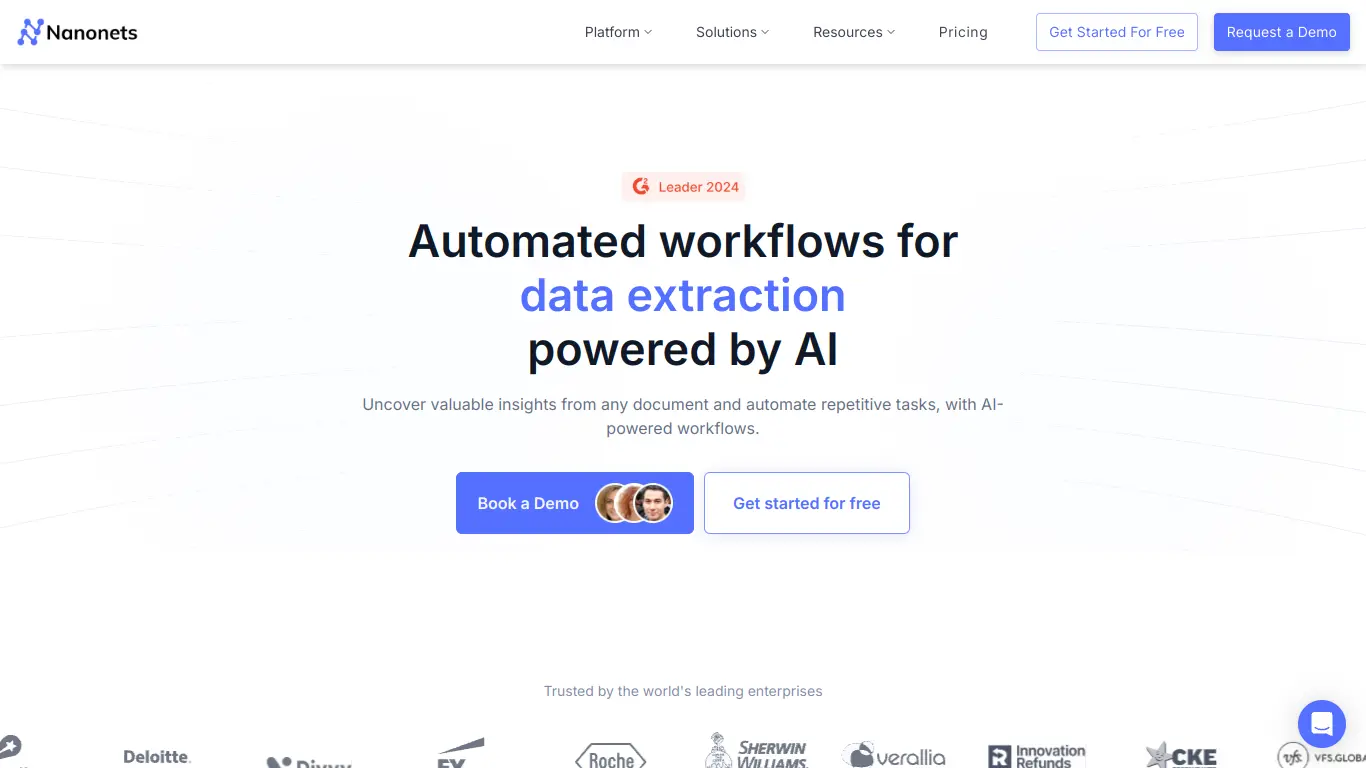
Introduction to Nanonets
Do you find your team drowning in manual data entry tasks? Are errors in document processing costing your business time and money? If you’re nodding along, you’re not alone. Businesses worldwide struggle with inefficient document processing systems that drain resources and slow operations. This is where intelligent document processing solutions like Nanonets come into play—potentially transforming how your organization handles paperwork and data extraction.
What is Nanonets and its Purpose?
Nanonets is an AI-powered document processing platform that automates data extraction from various document types using optical character recognition (OCR) and machine learning technologies. The platform is designed to eliminate manual data entry by automatically capturing, classifying, and extracting information from invoices, receipts, IDs, forms, and other documents.
At its core, Nanonets serves as an intelligent document processing solution that helps businesses streamline workflows, reduce errors, and save valuable time that would otherwise be spent on repetitive, manual tasks. The platform can read both printed and handwritten text, interpret the data within its context, and integrate the extracted information into your existing systems.
Who is Nanonets Designed For?
Nanonets caters to a diverse range of users across various industries and departments:
- Finance teams: For processing invoices, receipts, and financial documents
- HR departments: For managing employee documentation and forms
- Operations managers: For streamlining document workflows
- Small to medium businesses: Looking to reduce manual data entry
- Large enterprises: Seeking to automate document processing at scale
- IT departments: Looking for API-friendly automation solutions
The platform particularly benefits organizations dealing with high volumes of documents and those looking to cut costs associated with manual processing. Whether you’re a small accounting firm processing client receipts or a large corporation handling thousands of invoices monthly, Nanonets scales to meet varying needs.
Getting Started with Nanonets: How to Use It
Getting started with Nanonets is straightforward, following a simple step-by-step process:
- Sign up for an account: Visit Nanonets.com and create an account. You can start with a free trial to explore the platform.
- Choose your use case: Select the type of documents you want to process (invoices, receipts, IDs, etc.).
- Train your model: Upload sample documents to train the AI. Nanonets provides pre-trained models, but you can customize them for your specific needs.
- Review and adjust: Check the extraction results and make adjustments to improve accuracy.
- Integrate with your workflow: Once satisfied with the performance, integrate Nanonets with your existing systems using their API or export options.
- Scale as needed: Increase processing volume as your needs grow.
The platform is cloud-based, so there’s no need for complex installations. Most users can set up basic document processing workflows within a single day.
Nanonets’ Key Features and Benefits
Core Functionalities of Nanonets
Nanonets offers a comprehensive suite of document processing capabilities:
🔍 Intelligent OCR: Beyond basic OCR, Nanonets uses AI to understand document context and structure.
📄 Document Classification: Automatically sorts different document types (invoices vs. receipts vs. contracts).
📊 Data Extraction: Pulls specific information from documents, even when formats vary.
✅ Validation Rules: Applies custom rules to verify extracted data meets your requirements.
🔄 Workflow Automation: Creates end-to-end document processing workflows.
🔌 API Access: Integrates with existing business systems and software.
📱 Mobile Capture: Processes documents captured via mobile devices.
🌐 Multi-language Support: Handles documents in various languages.
📈 Analytics Dashboard: Provides insights into your document processing operations.
Advantages of Using Nanonets
The benefits of implementing Nanonets extend beyond simple automation:
- Time Savings: Reduces document processing time by up to 95%, according to company claims.
- Cost Reduction: Minimizes expenses associated with manual data entry and errors.
- Accuracy Improvement: Achieves up to 99% accuracy in data extraction, reducing costly mistakes.
- Scalability: Handles growing document volumes without proportional increases in resources.
- Compliance Support: Maintains audit trails and helps with regulatory compliance.
- Quick Implementation: Gets up and running faster than traditional OCR solutions.
- Continuous Learning: Improves over time as the AI processes more of your documents.
- Accessibility: Offers cloud-based access from anywhere, supporting remote work.
Main Use Cases and Applications
Nanonets shines in numerous practical applications across industries:
Finance & Accounting:
- Automated invoice processing and matching
- Receipt data extraction for expense management
- Purchase order processing
- Financial document classification
Human Resources:
- Employee onboarding document processing
- Resume parsing and data extraction
- Time sheet processing
- ID verification
Supply Chain:
- Bill of lading processing
- Inventory documentation automation
- Shipping label data extraction
- Customs documentation processing
Healthcare:
- Patient form data extraction
- Insurance claim processing
- Medical record management
- Prescription processing
Real Estate:
- Lease agreement processing
- Property documentation management
- Mortgage application processing
Customer Onboarding:
- KYC document verification
- Application form processing
- Identity verification
Exploring Nanonets’ Platform and Interface
User Interface and User Experience
Nanonets offers a clean, intuitive interface designed for users with varying technical expertise. The dashboard presents a comprehensive overview of your document processing operations, with key metrics prominently displayed.
The workflow builder uses a visual interface with drag-and-drop functionality, making it accessible even to non-technical users. This allows teams to create complex document processing workflows without coding knowledge.
Key UI/UX features include:
- Intuitive Dashboard: Provides at-a-glance performance metrics and processing status
- Document Viewer: Offers side-by-side comparison of original documents and extracted data
- Field Mapping Interface: Makes it easy to define extraction points for different document types
- Verification Portal: Allows for human review of uncertain extractions
- Mobile-Friendly Design: Supports document capture and processing on the go
The platform strikes a good balance between simplicity for basic users and depth for power users who need more customization options.
Platform Accessibility
Nanonets prioritizes accessibility through various dimensions:
Technical Accessibility:
- Cloud-based SaaS model requires no installation
- Works across modern browsers (Chrome, Firefox, Safari, Edge)
- Mobile apps available for iOS and Android
- API access for custom integrations
Integration Capabilities:
- Direct connections to popular business systems like QuickBooks, Xero, NetSuite
- Support for RPA platforms like UiPath and Automation Anywhere
- Zapier integration for connecting with 3,000+ apps
- Webhook support for custom workflow triggers
Support Options:
- Knowledge base with detailed tutorials
- Email and chat support
- Dedicated support for enterprise customers
- Regular webinars and training sessions
The platform works well for both technical and non-technical users, though some advanced customizations may require assistance from the Nanonets team or developers.
Nanonets Pricing and Plans
Subscription Options
Nanonets offers a tiered pricing structure to accommodate businesses of different sizes and needs:
| Plan | Price | Document Volume | Features |
|---|---|---|---|
| Free | $0 | 100 pages/month | Basic OCR, Limited templates |
| Standard | $499/month | 10,000 pages/month | Full OCR, Workflow automation, API access |
| Pro | $999/month | 25,000 pages/month | Advanced validation, Custom integrations, Priority support |
| Enterprise | Custom pricing | Custom volume | Dedicated account manager, Custom models, SLA guarantees |
All paid plans offer a 14-day free trial, allowing businesses to test the platform before committing.
Free vs. Paid Features
Understanding the difference between free and paid features helps determine which plan best suits your needs:
Free Plan Features:
- Basic OCR capabilities
- Up to 100 documents per month
- Pre-built templates for common documents
- Manual document uploads
- Basic exports (CSV, Excel)
- Community support
Paid Plan Additional Features:
- Advanced AI extraction capabilities
- Higher processing volumes
- Custom document templates
- Automated workflows
- API access for integrations
- Validation rules engine
- Bulk processing
- User role management
- Priority support
- Custom field extraction
- Enhanced security features
- Analytics and reporting
The free plan works well for individuals or very small businesses with minimal document processing needs. However, most businesses will require a paid plan to access the workflow automation and integration capabilities that deliver significant ROI.
Nanonets Reviews and User Feedback
Pros and Cons of Nanonets
Based on user reviews and industry analysis, here’s a balanced look at Nanonets’ strengths and limitations:
Pros:
- High accuracy extraction, even with varied document formats
- Intuitive interface requiring minimal technical knowledge
- Quick implementation compared to traditional OCR solutions
- Strong customer support praised in multiple reviews
- Continuous improvement as AI learns from corrections
- Flexible workflow options for different document types
- Robust API for custom integrations
Cons:
- Higher pricing than some basic OCR tools (though with more capabilities)
- Learning curve for complex document types and workflow creation
- Some users report occasional issues with handwriting recognition
- Limited template options in the free tier
- Mobile app functionality not as robust as web platform
- Some advanced features require technical expertise to fully utilize
User Testimonials and Opinions
Customers across industries have shared their experiences with Nanonets:
“We reduced our invoice processing time from 5 minutes per invoice to under 30 seconds. The ROI was immediate and substantial.” – Financial Controller at a mid-size manufacturing company
“The accuracy of Nanonets’ extraction for our complex forms was impressive. We tried three other OCR solutions before this, and none came close.” – Operations Director at a healthcare provider
“Implementation was remarkably quick. We had working models processing real documents within two days of starting our trial.” – IT Manager at a logistics company
On G2, Nanonets currently holds a 4.5/5 star rating based on over 100 reviews, with particularly high scores for ease of use and quality of support. Capterra shows similar ratings, with users highlighting the platform’s accuracy and time-saving capabilities.
Some critical feedback mentions that while the core functionality is excellent, more advanced customizations sometimes require assistance from Nanonets’ team, which can create dependencies.
Nanonets Company and Background Information
About the Company Behind Nanonets
Nanonets was founded in 2017 by Sarthak Jain and Prathamesh Juvatkar, who recognized the limitations of traditional OCR technology and saw an opportunity to apply deep learning to document processing challenges.
The company is headquartered in San Francisco, California, with additional offices in Bangalore, India. Nanonets has received venture funding from prestigious investors including Y Combinator, Elevation Capital, and Angel investors from Google and Dropbox.
Since its founding, Nanonets has:
- Processed over 1 billion documents across industries
- Developed specialized AI models for various document types
- Expanded from basic OCR to comprehensive document workflow automation
- Grown to serve thousands of customers globally
- Built a team of AI specialists, document processing experts, and customer success professionals
The company’s mission centers on freeing businesses from manual data entry and document processing, allowing teams to focus on higher-value activities. Their development philosophy emphasizes both powerful AI capabilities and user-friendly interfaces that don’t require technical expertise.
Nanonets Alternatives and Competitors
Top Nanonets Alternatives in the Market
Several alternatives exist in the intelligent document processing space:
- Docsumo (https://docsumo.com/): Focuses on financial document processing with specialized templates for invoices and receipts.
- Rossum (https://rossum.ai/): Emphasizes an AI-powered data capture approach with strong validation capabilities.
- ABBYY FlexiCapture (https://www.abbyy.com/flexicapture/): An established player offering comprehensive document processing with on-premises options.
- Kofax (https://www.kofax.com/): Provides broader intelligent automation including document processing capabilities.
- Hyperscience (https://hyperscience.com/): Targets enterprise-level document processing with human-in-the-loop workflows.
- DocDigitizer (https://www.docdigitizer.com/): Offers specialized solutions for specific industries like insurance and banking.
- Google Document AI (https://cloud.google.com/document-ai): Google’s ML-powered document understanding service.
Nanonets vs. Competitors: A Comparative Analysis
How does Nanonets stack up against its main competitors? Here’s a comparative analysis:
| Feature | Nanonets | Docsumo | Rossum | ABBYY |
|---|---|---|---|---|
| Ease of Use | ⭐⭐⭐⭐⭐ | ⭐⭐⭐⭐ | ⭐⭐⭐⭐ | ⭐⭐⭐ |
| Accuracy | ⭐⭐⭐⭐⭐ | ⭐⭐⭐⭐ | ⭐⭐⭐⭐⭐ | ⭐⭐⭐⭐⭐ |
| Setup Speed | ⭐⭐⭐⭐⭐ | ⭐⭐⭐⭐ | ⭐⭐⭐⭐ | ⭐⭐⭐ |
| Customization | ⭐⭐⭐⭐ | ⭐⭐⭐ | ⭐⭐⭐⭐ | ⭐⭐⭐⭐⭐ |
| Pricing | ⭐⭐⭐ | ⭐⭐⭐⭐ | ⭐⭐⭐ | ⭐⭐ |
| Integration | ⭐⭐⭐⭐ | ⭐⭐⭐ | ⭐⭐⭐⭐ | ⭐⭐⭐⭐ |
| Mobile Support | ⭐⭐⭐⭐ | ⭐⭐⭐ | ⭐⭐⭐ | ⭐⭐⭐ |
Key Differentiators for Nanonets:
- User-Friendly AI Training: Nanonets makes it easier for non-technical users to train custom models compared to many competitors.
- Rapid Implementation: Gets up and running faster than legacy solutions like ABBYY, which often require longer implementation cycles.
- Balance of Power and Simplicity: Offers advanced capabilities without overwhelming complexity, unlike some enterprise solutions.
- Modern Cloud Architecture: Built as a cloud-native solution versus competitors who have adapted legacy systems.
- Flexible Pricing Model: More flexible than enterprise-focused competitors, though not the lowest-cost option.
The right choice depends on your specific needs—Nanonets excels for businesses seeking a balance of powerful capabilities and ease of use, while enterprise customers with complex requirements might consider ABBYY or Hyperscience. Budget-conscious users might prefer Docsumo’s more affordable options.
Nanonets Website Traffic and Analytics
Website Visits Over Time
According to SimilarWeb and other analytics sources, Nanonets.com has shown consistent growth in traffic over the past year:
- Monthly Traffic: Approximately 250,000-300,000 monthly visitors
- Traffic Growth: ~15-20% year-over-year increase
- Page Views: Average of 3.5 pages per visit
- Visit Duration: Average of 2:45 minutes per session
This growth pattern suggests increasing market interest in intelligent document processing solutions like Nanonets.
Geographical Distribution of Users
Nanonets’ user base spans globally, with particular concentration in:
- United States (35%)
- India (18%)
- United Kingdom (8%)
- Canada (6%)
- Australia (5%)
- Germany (4%)
- Other countries (24%)
This distribution reflects both the company’s dual headquarters in San Francisco and Bangalore, as well as the global demand for document automation solutions.
Main Traffic Sources
Understanding how users discover Nanonets provides insight into their marketing effectiveness:
- Search Traffic: 45% (primarily from terms related to OCR, invoice processing, document automation)
- Direct Traffic: 25% (indicating strong brand recognition)
- Referral Traffic: 15% (from technology partners and review sites)
- Social Media: 8% (primarily LinkedIn and Twitter)
- Paid Campaigns: 7% (Google Ads and LinkedIn ads)
The high proportion of search traffic indicates strong SEO positioning for key industry terms, while the healthy direct traffic suggests growing brand awareness in the document processing space.
Frequently Asked Questions about Nanonets (FAQs)
General Questions about Nanonets
What types of documents can Nanonets process?
Nanonets can process a wide variety of documents including invoices, receipts, purchase orders, ID cards, forms, contracts, bills of lading, and more. The platform handles both structured forms and semi-structured documents effectively.
How accurate is Nanonets’ data extraction?
Nanonets claims extraction accuracy rates of 95-99% depending on document type and quality. The system improves over time as it learns from corrections made during the verification process.
Does Nanonets work with handwritten documents?
Yes, Nanonets can process handwritten text, though accuracy may vary based on handwriting legibility. The platform performs best with printed text but continuously improves its handwriting recognition capabilities.
Is Nanonets secure for sensitive documents?
Nanonets maintains SOC 2 compliance and implements encryption for data both in transit and at rest. The platform offers data retention controls and role-based access to meet security requirements.
Feature Specific Questions
Can Nanonets integrate with my existing systems?
Yes, Nanonets offers multiple integration options including API access, pre-built connectors for popular systems like QuickBooks and NetSuite, Zapier integration, and webhook support for custom workflows.
Does Nanonets offer validation rules for extracted data?
Yes, you can create custom validation rules to verify extracted data meets your requirements. These can include format checks, cross-field validation, database lookups, and custom business logic.
Can I process documents in languages other than English?
Yes, Nanonets supports multiple languages including Spanish, French, German, Italian, Portuguese, Chinese, Japanese, and more. The specific language support varies by document type.
How does the verification workflow function?
Documents with extraction confidence below your threshold are routed to a verification portal where team members can review and correct data before it enters your systems, ensuring accuracy.
Pricing and Subscription FAQs
Does Nanonets offer a free trial?
Yes, Nanonets offers a 14-day free trial that includes access to most platform features, allowing you to test the solution with your own documents before committing.
What happens if I exceed my monthly document limit?
If you exceed your plan’s document limit, Nanonets typically charges for overage at a per-document rate. For predictable high-volume needs, contacting sales for a custom plan is recommended.
Is there a setup fee for Nanonets?
Standard plans don’t include setup fees, but enterprise implementations may include onboarding fees depending on complexity and customization requirements.
Can I change plans as my needs change?
Yes, you can upgrade or downgrade your plan as needed. Upgrades take effect immediately, while downgrades typically apply at the next billing cycle.
Support and Help FAQs
What kind of support does Nanonets provide?
Support options vary by plan level. All paid plans include email support, while higher-tier plans offer chat support, faster response times, and dedicated account managers for enterprise customers.
Is there training available for new users?
Yes, Nanonets provides documentation, video tutorials, webinars, and guided onboarding depending on your plan level. Enterprise customers receive customized training sessions.
How can I get help with custom integrations?
Nanonets offers developer documentation for API integration. Professional services are available for complex custom integrations, typically at additional cost.
What if I need to migrate from another document processing system?
Nanonets provides migration support to help transition from other systems, though the specific assistance varies by plan level and complexity of migration.
Conclusion: Is Nanonets Worth It?
Summary of Nanonets’ Strengths and Weaknesses
After a comprehensive review, here’s a summary of Nanonets’ key strengths and weaknesses:
Strengths:
- Exceptional accuracy in extracting data from varied document formats
- User-friendly interface accessible to non-technical team members
- Rapid implementation compared to traditional OCR solutions
- Flexible workflow capabilities adaptable to diverse business needs
- Strong mobile support for on-the-go document capture
- Continuous improvement through machine learning
- Comprehensive API for custom integrations
Weaknesses:
- Higher price point than basic OCR tools (though with more capabilities)
- Some advanced customizations require technical expertise
- Handwriting recognition, while improving, isn’t perfect for all scripts
- Free tier limitations may not satisfy small business needs
- Learning curve for complex workflow creation
Final Recommendation and Verdict
Nanonets delivers exceptional value for businesses looking to automate document processing and eliminate manual data entry. The platform stands out for its balance of powerful AI capabilities and user-friendly design, making it accessible to organizations without dedicated technical resources.
Nanonets is particularly worth it for:
- Medium to large businesses processing substantial document volumes
- Organizations seeking to reduce manual data entry costs
- Companies needing to process varying document formats
- Teams looking for workflow automation beyond basic OCR
- Businesses prioritizing accuracy and integration capabilities
You might want to explore alternatives if:
- Your budget is extremely limited and you only need basic OCR
- You only process a very small volume of highly standardized documents
- You require extensive on-premises deployment options
- Your documents are primarily handwritten in challenging scripts
For most businesses dealing with regular document processing, Nanonets offers a compelling return on investment through time savings, error reduction, and workflow improvements. The platform’s continuous evolution and strong customer support further enhance its value proposition.
While not the cheapest option available, Nanonets justifies its pricing through superior accuracy, ease of use, and flexible capabilities that adapt to diverse business needs. For organizations serious about document automation, Nanonets stands as a top-tier solution worth considering.