
ReadSpeaker transforms written content into natural-sounding speech with 110+ voices across 35+ languages for education, business, and accessibility.
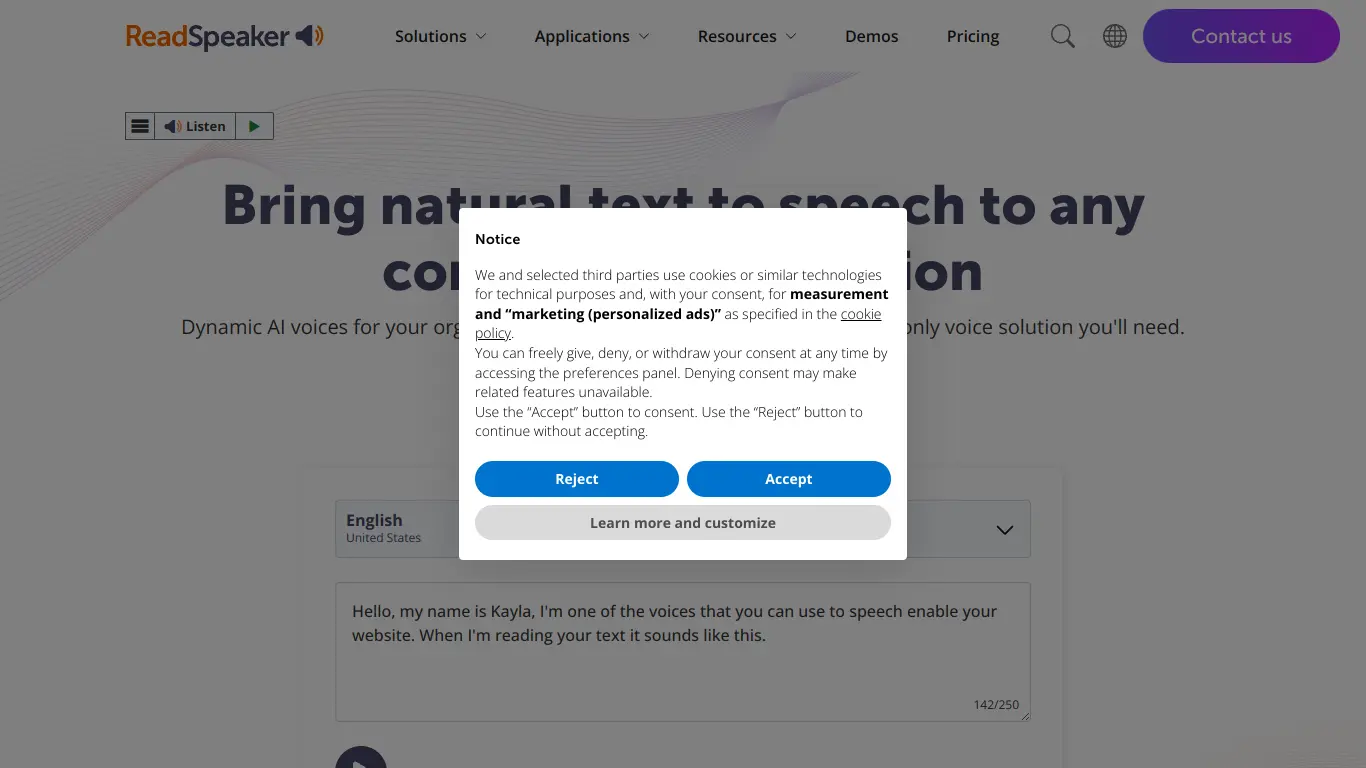
Are you struggling to make your digital content accessible to all users? Perhaps you’re looking for ways to engage your audience better through audio experiences? Maybe you need a reliable text-to-speech solution that sounds natural and human-like? If any of these scenarios resonate with you, you’re not alone. In today’s digital world, accessibility and multi-sensory content delivery have become crucial for businesses, educational institutions, and content creators alike.
That’s where ReadSpeaker comes in – a pioneering text-to-speech technology that’s transforming how we interact with digital content. In this comprehensive review, I’ll dive deep into what makes ReadSpeaker stand out in an increasingly crowded market of AI voice solutions.
Introduction to ReadSpeaker
What is ReadSpeaker and its Purpose?
ReadSpeaker is a sophisticated text-to-speech (TTS) technology platform that converts written text into natural-sounding speech. Founded in 1999, it stands as one of the earliest independent TTS providers in the world, with over two decades of experience in voice technology innovation.
The primary purpose of ReadSpeaker is to make digital content more accessible and engaging through lifelike voice solutions. Unlike basic text-to-speech tools, ReadSpeaker offers enterprise-grade technology that powers everything from website content narration to voice-enabled customer experiences and educational materials.
At its core, ReadSpeaker aims to bridge the gap between written content and audio consumption, providing users with the option to listen to text rather than read it – whether for accessibility needs, convenience, or enhanced learning experiences.
Who is ReadSpeaker Designed For?
ReadSpeaker serves a diverse range of clients across multiple sectors:
- Educational Institutions: Universities, schools, and e-learning platforms use ReadSpeaker to make course materials accessible to all students, including those with visual impairments or learning disabilities.
- Businesses: Companies implement ReadSpeaker to enhance customer experience on websites, create voice-enabled products, and ensure ADA compliance.
- Publishers: Digital publishers and content creators leverage ReadSpeaker to offer audio versions of articles, books, and other written content.
- Government Agencies: Public sector organizations use ReadSpeaker to make online information accessible to all citizens.
- Automotive Industry: Vehicle manufacturers integrate ReadSpeaker for natural in-car voice experiences.
- Healthcare Providers: Medical institutions implement ReadSpeaker for accessible patient information and voice-enabled medical devices.
The platform is particularly valuable for organizations that prioritize inclusivity, compliance with accessibility standards, and enhanced user engagement through audio experiences.
Getting Started with ReadSpeaker: How to Use It
Getting started with ReadSpeaker is straightforward, though the specific implementation depends on which of their solutions you’re using:
- For website integration (ReadSpeaker webReader):
- Request a demo or contact ReadSpeaker sales team
- Once subscribed, you’ll receive integration instructions
- Implement a simple JavaScript code on your website
- Customize the appearance and functionality of the listen button
- Users can then click the “Listen” button to hear your content read aloud
- For content creators (ReadSpeaker speechCloud):
- Sign up for an API key
- Integrate the API with your content management system
- Select from various voices and languages
- Customize pronunciation, speed, and other parameters
- Convert your text to speech via the API
- For educational institutions (ReadSpeaker TextAid):
- Deploy the solution across your learning management system
- Train faculty and students on using the tool
- Students can access reading and writing support tools through the interface
Implementation typically requires minimal technical expertise, and ReadSpeaker provides comprehensive documentation and support throughout the setup process.
ReadSpeaker’s Key Features and Benefits
Core Functionalities of ReadSpeaker
ReadSpeaker offers a comprehensive suite of text-to-speech solutions, each with distinct functionalities:
1. webReader™:
- Adds listen functionality to websites and online content
- Features a floating player with playback controls
- Offers text highlighting as content is read
- Provides page-specific reading tools and settings
- Supports responsive design across devices
2. speechCloud™:
- API-based TTS solution for developers
- Offers 110+ voices across 35+ languages
- Allows for voice customization and fine-tuning
- Enables real-time text-to-speech conversion
- Supports various audio formats (MP3, WAV, OGG)
3. TextAid™:
- Reading and writing support tool for education
- Includes text highlighting and focus features
- Offers dictionary and translation functionality
- Provides reading, writing, and study tools
- Enables document conversion and text extraction
4. docReader™:
- Converts documents (PDF, DOCX) into accessible, audio-enabled formats
- Preserves document formatting while adding speech
- Provides a web-based reader interface
- Includes text highlighting and navigation features
5. Custom Voice Development:
- Creates brand-specific synthetic voices
- Develops custom pronunciation dictionaries
- Offers emotion and tone customization
- Enables seamless brand voice experiences
Advantages of Using ReadSpeaker
ReadSpeaker offers numerous benefits that set it apart from other text-to-speech solutions:
- Natural-Sounding Voices: Using advanced neural TTS technology, ReadSpeaker produces remarkably human-like voices that avoid the robotic quality of many competitors.
- Extensive Language Support: With over 110 voices across 35+ languages and dialects, ReadSpeaker offers global accessibility solutions.
- Seamless Integration: ReadSpeaker works across websites, applications, learning management systems, and more with minimal implementation effort.
- Customization Options: Users can adjust reading speed, highlighting colors, voice selection, and numerous other parameters to suit their preferences.
- Accessibility Compliance: Helps organizations meet ADA, WCAG 2.1, and Section 508 requirements for digital accessibility.
- Analytics and Reporting: Provides insights on usage patterns, helping organizations understand how users interact with audio content.
- Cross-Platform Compatibility: Works across desktop, mobile, and various operating systems without requiring users to download additional software.
- Enterprise-Grade Security: Offers secure implementation options for organizations with strict data privacy requirements.
- Extensive Technical Support: Provides comprehensive documentation, tutorials, and customer support for implementation and ongoing use.
Main Use Cases and Applications
ReadSpeaker’s versatility enables numerous applications across industries:
Education:
- Making course materials accessible to students with visual impairments or learning disabilities
- Supporting language learning through pronunciation examples
- Enabling multisensory learning for improved comprehension and retention
- Assisting students with proofreading their written work
Corporate:
- Creating accessible websites that comply with legal requirements
- Developing voice-enabled products and services
- Enhancing customer engagement through audio content
- Providing alternative content consumption methods for busy professionals
Publishing:
- Converting written articles into audio formats
- Creating audiobook versions of digital publications
- Offering audio alternatives for news content
- Enabling audio newsletters and updates
Automotive:
- Powering natural-sounding in-vehicle announcements
- Creating consistent brand voices across digital and physical touchpoints
- Enabling text messages to be read aloud safely while driving
Healthcare:
- Making patient education materials accessible
- Powering voice interfaces for medical devices
- Creating audio versions of prescription information
- Supporting patients with visual impairments
Exploring ReadSpeaker’s Platform and Interface
User Interface and User Experience
ReadSpeaker’s various products feature different interfaces, but all share a commitment to intuitive design and user-friendly experiences:
webReader Interface:
The webReader presents as a floating audio player that appears when a user clicks the “Listen” button on a webpage. The interface includes:
- Play/pause controls
- Progress indicator
- Speed adjustment
- Volume control
- Settings menu for customization
The player can be positioned anywhere on the page and styled to match the website’s design. Text highlighting occurs automatically as the content is read, improving user comprehension and focus.
TextAid Interface:
The educational TextAid product features a more comprehensive interface with:
- Document upload area
- Text editor with formatting options
- Reading toolbar with voice and speed settings
- Study tools panel with dictionary and translation features
- Customizable color schemes and font sizes
The interface is designed to be distraction-free while providing powerful accessibility features that don’t overwhelm users.
Administration Interfaces:
For administrators and implementers, ReadSpeaker provides dashboard interfaces that offer:
- Usage analytics and reporting
- Configuration options
- Voice and language settings
- Custom dictionary management
- Integration code snippets
These interfaces follow modern design principles with clean layouts, logical organization, and responsive design that works across device sizes.
Platform Accessibility
True to its mission, ReadSpeaker’s own platform exemplifies accessibility best practices:
- Keyboard Navigation: All interfaces can be fully navigated using keyboard controls alone.
- Screen Reader Compatibility: The platform works seamlessly with popular screen readers like JAWS, NVDA, and VoiceOver.
- High Contrast Options: Users can select high-contrast color schemes for improved visibility.
- Responsive Design: Interfaces adapt to different screen sizes and device types.
- WCAG 2.1 Compliance: ReadSpeaker follows Web Content Accessibility Guidelines to ensure its own platform is fully accessible.
- Simple Language: Instructions and interface elements use clear, concise language.
- Customization Options: Font sizes, colors, and layouts can be adjusted to suit individual needs.
The platform demonstrates ReadSpeaker’s commitment to accessibility not just in its products, but in its own user experience – practicing what it preaches when it comes to digital inclusion.
ReadSpeaker Pricing and Plans
Subscription Options
ReadSpeaker operates on a subscription-based model with pricing tailored to each organization’s specific needs and usage requirements. While the company doesn’t publish standard pricing packages on its website, the subscription structure typically follows these patterns:
For Educational Institutions:
- Pricing based on institution size (student enrollment)
- Annual licensing options
- Campus-wide deployment packages
- Discounts for K-12 vs. higher education
For Businesses:
- Pricing based on website traffic or API call volume
- Enterprise packages for large organizations
- Custom voice development as separate services
- Multiple product bundling options
For Government and Non-Profit:
- Special sector pricing
- Compliance-focused packages
- Multi-year agreement discounts
All subscription plans typically include:
- Technical support
- Regular voice and feature updates
- Access to the admin dashboard
- Implementation assistance
Organizations interested in ReadSpeaker must contact the sales team directly for a custom quote based on their specific requirements and use case.
Free vs. Paid Features
ReadSpeaker primarily offers paid enterprise solutions, but does provide some free options and trials:
Free Options:
- Limited-time trials of various ReadSpeaker products
- Demo experiences on the ReadSpeaker website
- Basic implementation samples for developers
Paid Features (requiring subscription):
- Full language and voice library access
- Custom voice development
- Advanced customization options
- Technical support and training
- Analytics and reporting tools
- API access beyond sample limits
- White-label and branding options
- Integration with learning management systems
- Document conversion capabilities
The primary differentiator between free trials and paid subscriptions is the scale of implementation, voice quality options, and the level of support provided. For serious enterprise implementation, paid subscriptions are necessary to unlock ReadSpeaker’s full potential.
ReadSpeaker Reviews and User Feedback
Pros and Cons of ReadSpeaker
Based on aggregated user feedback and industry reviews, here’s an honest assessment of ReadSpeaker’s strengths and limitations:
Pros ✅:
- Voice Quality: Consistently praised for natural-sounding voices that avoid the robotic quality common in TTS technology.
- Language Support: Exceptional breadth of language options, making it suitable for global organizations.
- Easy Implementation: Many users report quick and straightforward integration with existing websites and platforms.
- Reliability: Enterprise-grade infrastructure with high uptime and performance, even for high-traffic applications.
- Customization: Extensive options for tailoring the reading experience to specific requirements.
- Support Quality: Technical support teams receive high marks for responsiveness and expertise.
- Educational Features: Particularly strong in educational settings with specialized tools for learning support.
Cons ⚠️:
- Pricing Transparency: Lack of published pricing makes budget planning difficult without contacting sales.
- Learning Curve: Some advanced features require training to fully utilize.
- Mobile Experience: Occasionally reported issues with mobile implementation on certain device types.
- Initial Setup Complexity: While ongoing use is simple, initial configuration can be complex for some integrations.
- Cost: Premium pricing compared to basic TTS alternatives (though justified by quality and features).
- Documentation: Some users report that documentation could be more comprehensive for developer integration.
- Update Frequency: Voice updates sometimes lag behind competitor release schedules.
User Testimonials and Opinions
Here’s what actual users are saying about ReadSpeaker:
“We implemented ReadSpeaker across our university website and learning management system. The difference in accessibility for our students with learning disabilities has been remarkable. The natural-sounding voices make a huge difference compared to the robotic options we tried previously.”
- Education Technology Director at a Large University
“ReadSpeaker’s API has been incredibly reliable for our healthcare application. We needed text-to-speech that wouldn’t mispronounce medical terminology, and their custom dictionary feature solved that problem perfectly.”
- Healthcare Software Developer
“The analytics provided by ReadSpeaker helped us understand how many of our website visitors were actually using the listening feature. The numbers were higher than we expected, justifying the investment in making our content more accessible.”
- Digital Accessibility Manager at a Government Agency
“Implementation was straightforward, but we did face some challenges with our complex CMS. ReadSpeaker’s support team was excellent in helping us work through those issues.”
- Web Developer at a Publishing Company
“The main drawback for us was cost – as a small non-profit, the pricing was a stretch for our budget. However, the quality difference compared to free alternatives made it worthwhile for our accessibility compliance.”
- Director at a Non-Profit Organization
User satisfaction ratings across review platforms typically place ReadSpeaker in the 4.3-4.7 out of 5 stars range, with highest marks for voice quality and support, and occasional lower scores related to pricing concerns.
ReadSpeaker Company and Background Information
About the Company Behind ReadSpeaker
ReadSpeaker was founded in 1999 in Sweden, making it one of the pioneers in the text-to-speech industry. The company’s founding mission was to make digital content accessible to everyone, regardless of visual ability or reading proficiency – a mission that remains at its core today.
Company Timeline:
- 1999: Founded in Sweden as one of the first independent TTS providers
- 2002: Launched first web-based TTS solution
- 2010: Expanded into educational technology with specialized learning tools
- 2016: Developed neural network-based voices for more natural speech
- 2017: Acquired by HOYA Corporation, providing resources for accelerated growth
- 2019: Celebrated 20 years of innovation in voice technology
- 2021: Expanded voice portfolio to over 110 voices across 35+ languages
Currently headquartered in the Netherlands, ReadSpeaker operates globally with offices across Europe, North America, and Asia. As part of HOYA Corporation’s Information Technology division, ReadSpeaker benefits from the stability and resources of a larger parent company while maintaining its focus on text-to-speech innovation.
The company maintains a team of linguistic experts, voice actors, AI specialists, and accessibility professionals who continuously work to improve voice quality and develop new features. ReadSpeaker has established itself as an industry leader through its commitment to research and development in neural TTS technology, which has resulted in some of the most natural-sounding synthetic voices available.
ReadSpeaker’s client portfolio includes major universities, Fortune 500 companies, government agencies, and global publishers – a testament to the enterprise-grade quality and reliability of its solutions.
ReadSpeaker Alternatives and Competitors
Top ReadSpeaker Alternatives in the Market
The text-to-speech market has several notable alternatives to ReadSpeaker, each with different strengths and focus areas:
- Amazon Polly
- https://aws.amazon.com/polly/
- Cloud-based TTS service from AWS
- Strong for developers needing API-based solutions
- Pay-as-you-go pricing model
- Google Cloud Text-to-Speech
- https://cloud.google.com/text-to-speech
- Neural network-based voices
- Excellent for integration with other Google Cloud services
- Strong multilingual support
- IBM Watson Text to Speech
- https://www.ibm.com/cloud/watson-text-to-speech
- Enterprise-focused solution
- Neural voice technology
- Strong in business intelligence applications
- Microsoft Azure Speech Service
- https://azure.microsoft.com/en-us/services/cognitive-services/speech-services/
- Part of Azure Cognitive Services
- Suitable for enterprise Microsoft environments
- Strong neural voice technology
- Speechify
- https://speechify.com/
- Consumer-focused TTS application
- Strong mobile app presence
- Subscription-based model for individuals
- NaturalReader
- https://www.naturalreaders.com/
- Both free and premium options
- Document reading focus
- Personal and educational use emphasis
- Murf.ai
- https://murf.ai/
- AI voice generator for content creators
- Strong in commercial narration
- Studio-like interface for production
ReadSpeaker vs. Competitors: A Comparative Analysis
Here’s how ReadSpeaker stacks up against its main competitors across key factors:
| Feature | ReadSpeaker | Amazon Polly | Google TTS | Microsoft Azure | Speechify |
|---|---|---|---|---|---|
| Voice Quality | ★★★★★ | ★★★★☆ | ★★★★☆ | ★★★★☆ | ★★★☆☆ |
| Language Support | 35+ languages | 29 languages | 40+ languages | 45+ languages | 14 languages |
| Ease of Implementation | ★★★★☆ | ★★★☆☆ | ★★★☆☆ | ★★★☆☆ | ★★★★★ |
| Enterprise Features | ★★★★★ | ★★★☆☆ | ★★★★☆ | ★★★★★ | ★★☆☆☆ |
| Educational Focus | ★★★★★ | ★★☆☆☆ | ★★☆☆☆ | ★★★☆☆ | ★★★☆☆ |
| Customization | ★★★★☆ | ★★★☆☆ | ★★★☆☆ | ★★★★☆ | ★★☆☆☆ |
| Pricing Structure | Custom quotes | Pay-per-use | Pay-per-use | Pay-per-use | Subscription |
| Accessibility Features | ★★★★★ | ★★★☆☆ | ★★★☆☆ | ★★★★☆ | ★★★☆☆ |
Key Differentiators for ReadSpeaker:
- Specialization: While companies like Amazon, Google, and Microsoft offer TTS as one of many cloud services, ReadSpeaker focuses exclusively on text-to-speech, resulting in more specialized features.
- Education Emphasis: ReadSpeaker has tools specifically designed for educational environments, unlike most cloud provider alternatives.
- Turnkey Solutions: ReadSpeaker offers complete solutions rather than just APIs, making it more accessible for organizations without developer resources.
- Accessibility Focus: ReadSpeaker places greater emphasis on accessibility compliance than many alternatives.
- Experience: With over 20 years in the industry, ReadSpeaker brings more specialized experience than newer market entrants.
The best choice depends on specific use cases: organizations prioritizing accessibility and education may prefer ReadSpeaker, while developer-heavy teams might lean toward cloud provider solutions, and individuals might choose consumer-focused options like Speechify.
ReadSpeaker Website Traffic and Analytics
Website Visit Over Time
ReadSpeaker’s corporate website shows relatively consistent traffic patterns, reflecting its established position in the enterprise market:
- Monthly Visitors: Approximately 150,000-200,000 monthly visits
- Traffic Trend: Stable with seasonal fluctuations (higher during educational buying seasons)
- Page Views Per Visit: Average of 4.3 pages per session
- Average Time on Site: 3:45 minutes
- Bounce Rate: Approximately 45%
The website traffic has shown modest growth over the past several years, with notable increases during major product launches and expansion into new markets.
Geographical Distribution of Users
ReadSpeaker’s website traffic reflects its global market presence with visitors from numerous countries:
- United States: 32%
- United Kingdom: 14%
- Canada: 8%
- Germany: 7%
- France: 6%
- Australia: 5%
- Netherlands: 4%
- Sweden: 4%
- Other European countries: 12%
- Rest of world: 8%
This distribution aligns with ReadSpeaker’s strongest market presence in North America and Europe, with growing interest from Asia-Pacific regions.
Main Traffic Sources
The website traffic comes from a diverse mix of sources:
- Organic Search: 42% (primarily educational and accessibility-related keywords)
- Direct Traffic: 28% (indicating strong brand recognition)
- Referral Traffic: 16% (from partner websites, educational institutions, and accessibility resources)
- Social Media: 7% (LinkedIn being the strongest channel)
- Email Marketing: 5%
- Paid Search: 2%
The high percentage of organic and direct traffic suggests ReadSpeaker has established good brand recognition within its target markets, particularly in education and accessibility sectors.
Frequently Asked Questions about ReadSpeaker (FAQs)
General Questions about ReadSpeaker
Q: What exactly is ReadSpeaker?
A: ReadSpeaker is a text-to-speech technology company that provides solutions for converting written text into natural-sounding speech. Their products include website reading tools, APIs for developers, educational support tools, and custom voice development services.
Q: How long has ReadSpeaker been in business?
A: ReadSpeaker was founded in 1999, making it one of the pioneers in the text-to-speech industry with over two decades of experience.
Q: What makes ReadSpeaker different from free text-to-speech tools?
A: ReadSpeaker offers enterprise-grade quality with more natural-sounding voices, extensive language support, accessibility compliance features, customization options, analytics, and professional support that free alternatives typically lack.
Q: Is ReadSpeaker compliant with accessibility standards?
A: Yes, ReadSpeaker helps organizations meet accessibility requirements including ADA, Section 508, and WCAG 2.1 standards by providing text-to-speech functionality that assists users with visual impairments and learning disabilities.
Feature Specific Questions
Q: How many languages does ReadSpeaker support?
A: ReadSpeaker offers over 110 voices across more than 35 languages and dialects, covering major global languages and many regional variations.
Q: Can ReadSpeaker be integrated with my Learning Management System (LMS)?
A: Yes, ReadSpeaker offers specific integrations for popular LMS platforms including Canvas, Blackboard, Moodle, D2L Brightspace, and others, making implementation straightforward for educational institutions.
Q: Is it possible to customize the pronunciation of specific words?
A: Yes, ReadSpeaker provides custom dictionary capabilities where administrators can specify the pronunciation of unique terms, acronyms, and specialized vocabulary to ensure accurate speech output.
Q: Can I download audio files created with ReadSpeaker?
A: Yes, certain ReadSpeaker solutions allow for the generation and download of audio files in formats like MP3, which can be used for podcasts, audio libraries, or offline access.
Pricing and Subscription FAQs
Q: How much does ReadSpeaker cost?
A: ReadSpeaker pricing is customized based on implementation scope, features needed, and organization size. You’ll need to contact their sales team for a specific quote tailored to your requirements.
Q: Is there a free trial available?
A: Yes, ReadSpeaker typically offers free trial periods for organizations to test their solutions before committing to a full implementation.
Q: What factors affect the pricing?
A: Pricing is typically based on factors such as website traffic volume, number of API calls, institution size (for educational customers), number of languages needed, and which specific ReadSpeaker products are being implemented.
Q: Are there discounts for educational institutions or non-profits?
A: Yes, ReadSpeaker offers special pricing structures for educational institutions and non-profit organizations that typically provide more favorable terms than commercial licensing.
Support and Help FAQs
Q: What kind of support does ReadSpeaker provide?
A: ReadSpeaker offers technical implementation support, user training, documentation, knowledge base resources, and ongoing customer service for troubleshooting and optimization.
Q: How difficult is it to implement ReadSpeaker on my website?
A: Basic implementation is relatively simple, often requiring just a few lines of JavaScript code. More complex integrations with custom requirements may require additional development work, but ReadSpeaker provides support throughout the process.
Q: Who handles the technical implementation?
A: Most organizations use their web development team for implementation, with guidance from ReadSpeaker’s technical support. For clients without technical resources, ReadSpeaker can recommend implementation partners.
Q: Is there documentation available for developers?
A: Yes, ReadSpeaker provides comprehensive API documentation, implementation guides, and code samples for developers to facilitate smooth integration.
Conclusion: Is ReadSpeaker Worth It?
Summary of ReadSpeaker’s Strengths and Weaknesses
After thoroughly examining ReadSpeaker’s offerings, here’s a balanced assessment of its key strengths and limitations:
Strengths:
- Voice Quality: ReadSpeaker consistently delivers some of the most natural-sounding synthetic voices on the market, avoiding the robotic quality that plagues many TTS solutions.
- Enterprise Reliability: The platform’s stability and performance make it suitable for high-traffic, mission-critical implementations where reliability is essential.
- Accessibility Expertise: With over 20 years of focus on making content accessible, ReadSpeaker brings unmatched experience in digital accessibility to its products.
- Educational Specialization: The dedicated tools for learning environments make ReadSpeaker particularly valuable for educational institutions.
- Comprehensive Solutions: Rather than just providing API access, ReadSpeaker offers complete solutions that address implementation, customization, and ongoing support.
Weaknesses:
- Premium Pricing: ReadSpeaker is positioned as a premium solution with pricing that reflects its quality – this may put it out of reach for smaller organizations with limited budgets.
- Pricing Transparency: The lack of published pricing makes it difficult for organizations to budget without going through the sales process.
- Implementation Complexity: While basic implementation is straightforward, getting the most out of all features can require dedicated technical resources.
Final Recommendation and Verdict
ReadSpeaker is worth the investment for:
- Educational institutions seeking to improve content accessibility and support diverse learning needs
- Enterprise businesses requiring reliable, high-quality TTS for customer-facing applications
- Organizations with strict accessibility compliance requirements that need comprehensive solutions
- Content publishers looking to provide audio alternatives to written content
- Developers creating voice-enabled products who need natural-sounding voices and extensive language support
ReadSpeaker may not be the best fit for:
- Small businesses with limited budgets who might be better served by less expensive alternatives
- Individual users seeking personal TTS applications
- Projects requiring minimal TTS functionality where simpler solutions would suffice
- Organizations without any technical implementation resources who need completely turnkey solutions
The final verdict: ReadSpeaker stands as a premium text-to-speech solution that delivers exceptional quality, particularly for education, enterprise, and accessibility-focused implementations. While it comes at a higher price point than some alternatives, the superior voice quality, comprehensive feature set, and dedicated support justify the investment for organizations that prioritize excellence in their audio content delivery.
For those with the budget and need for top-tier text-to-speech functionality, ReadSpeaker represents one of the best options available in today’s market – a mature, reliable solution from a company that has specialized in this technology for over two decades.