LearnUpon is an intuitive LMS with multi-portal architecture for training employees, customers, and partners from a central dashboard.
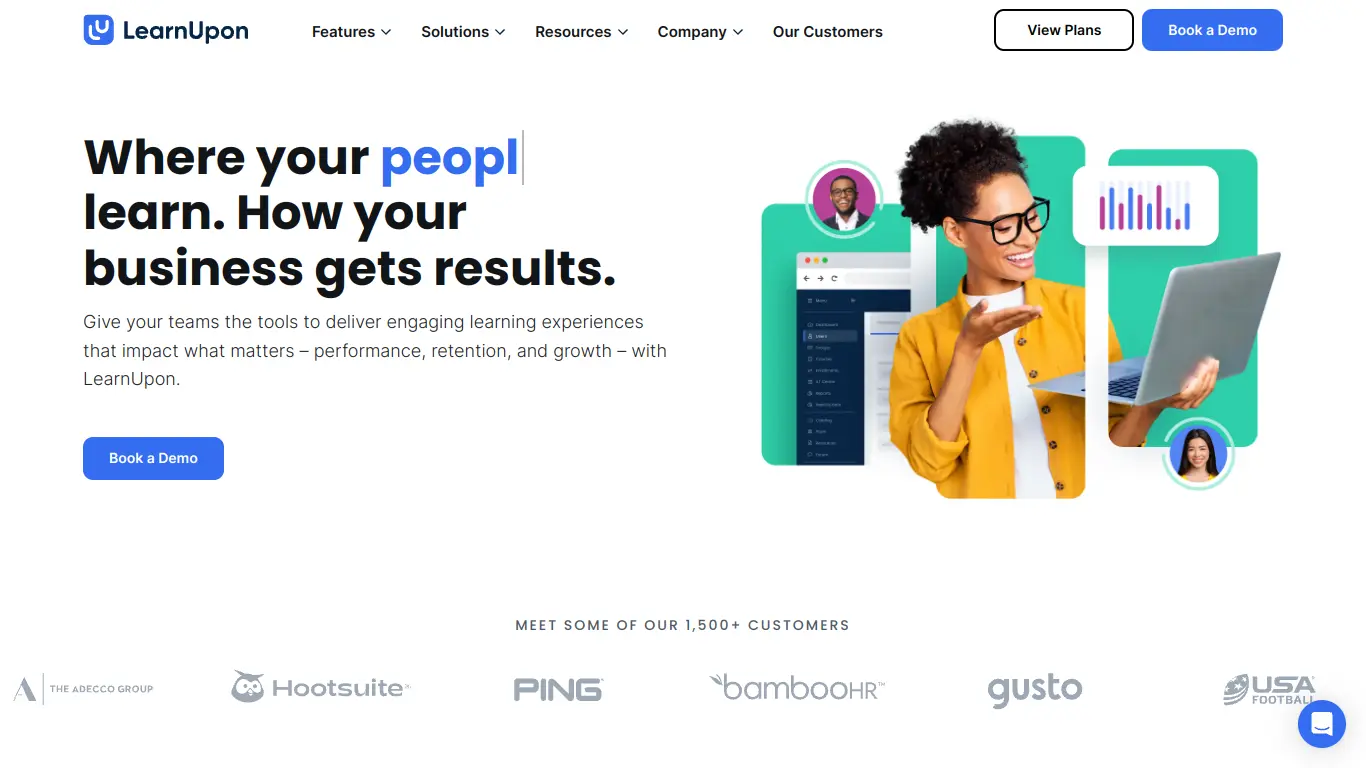
Are you struggling to find an effective learning management system that can streamline your training programs? Whether you’re a corporate trainer, HR professional, or education specialist, the challenge of delivering engaging, trackable learning experiences remains constant. Many organizations find themselves juggling multiple disconnected tools or battling with outdated platforms that fail to meet their evolving needs. If this sounds familiar, you’re not alone – and that’s exactly why LearnUpon has gained significant attention in the e-learning space.
Introduction to LearnUpon
What is LearnUpon and its Purpose?
LearnUpon is a cloud-based learning management system (LMS) designed to help organizations create, manage, and deliver online training programs. Unlike conventional e-learning platforms that often focus solely on content delivery, LearnUpon takes a more comprehensive approach by combining powerful course creation tools with robust analytics, seamless integrations, and multi-portal architecture.
The platform’s core purpose is to simplify the complexities of corporate training by providing a centralized hub where businesses can train their employees, partners, customers, and members. LearnUpon’s emphasis on user experience makes advanced training capabilities accessible to organizations regardless of their technical expertise, ultimately helping them scale their training operations efficiently.
Who is LearnUpon Designed For?
LearnUpon caters to a diverse range of organizations across various industries, but it particularly shines in these sectors:
- Corporate Businesses: Companies looking to standardize employee onboarding, compliance training, and professional development
- Software Companies: SaaS providers needing to educate customers on their products
- Consulting Firms: Organizations delivering training as a service to clients
- Educational Institutions: Schools and universities supplementing traditional learning with online components
- Manufacturing Companies: Businesses requiring standardized safety and procedural training
- Healthcare Organizations: Medical facilities managing continuing education and compliance requirements
The platform is especially valuable for mid to large-sized organizations that need to train multiple audiences (like employees, partners, and customers) simultaneously while maintaining separate learning environments for each.
Getting Started with LearnUpon: How to Use It
Getting up and running with LearnUpon follows a straightforward process:
- Sign up for a free demo: Visit LearnUpon’s website (https://www.learnupon.com/) and schedule a personalized demonstration.
- Implementation and setup: Once you’ve subscribed, LearnUpon’s customer success team helps configure your instance, including branding, portal setup, and initial user management.
- Content creation and import: Build courses directly within the platform or import existing content from various formats (SCORM, xAPI, video, documents, etc.).
- User management: Add learners manually, through bulk upload, or integrate with your HR system for automatic syncing.
- Course assignment: Distribute courses to individual learners or groups via direct enrollment or learning paths.
- Tracking and reporting: Monitor learner progress, completion rates, and assessment scores through the comprehensive reporting dashboard.
The platform’s intuitive interface means most administrative tasks can be performed without technical expertise, though LearnUpon offers extensive support resources including documentation, webinars, and dedicated customer success managers for users who need additional guidance.
LearnUpon’s Key Features and Benefits
Core Functionalities of LearnUpon
LearnUpon offers a comprehensive set of features that distinguish it in the crowded LMS marketplace:
1. Multi-portal Architecture
LearnUpon’s standout feature is its ability to create multiple training environments (portals) within a single account. This allows organizations to deliver tailored training experiences to different audiences while maintaining centralized administration.
2. Course Building and Content Management
- SCORM, xAPI, and cmi5 compliance
- Video hosting and embedding
- Assessment creation (quizzes, surveys, assignments)
- Learning paths for structured curriculum development
- Content reusability across portals
3. Automation and Workflows
- Automated enrollments based on triggers
- Certification management with renewal tracking
- Notification systems for course reminders
- Auto-assignment of learning based on user attributes
4. Reporting and Analytics
- Real-time dashboards
- Customizable reports
- Completion tracking
- Assessment performance analysis
- Exportable data in multiple formats
5. Integrations
- HR systems (Workday, BambooHR)
- CRM platforms (Salesforce)
- Webinar tools (Zoom, WebEx)
- Single Sign-On providers
- API for custom connections
6. Mobile Learning
- Responsive design
- Native mobile apps
- Offline learning capabilities
Advantages of Using LearnUpon
Organizations implementing LearnUpon typically experience several key benefits:
🚀 Reduced Administrative Burden
The platform’s automation capabilities significantly decrease the manual work involved in managing training programs. Tasks like enrollment, reminders, and certification tracking happen with minimal human intervention.
🌐 Scalable Training Operations
LearnUpon’s multi-portal structure enables organizations to expand their training reach without proportionally increasing administrative overhead.
📊 Improved Training Visibility
Comprehensive reporting tools provide clear insights into learning effectiveness, helping organizations identify knowledge gaps and training successes.
⚡ Faster Implementation
Compared to many enterprise LMS solutions, LearnUpon offers relatively quick deployment, with most organizations fully operational within weeks rather than months.
🔄 Enhanced Learning Experience
The platform’s user-friendly interface and mobile accessibility contribute to higher completion rates and better knowledge retention.
💰 ROI Measurement
Integration capabilities allow organizations to connect training data with business metrics, helping demonstrate the tangible impact of learning initiatives.
Main Use Cases and Applications
LearnUpon’s versatility makes it suitable for various training scenarios:
| Use Case | Application Details |
|---|---|
| Employee Onboarding | Standardized welcome courses, role-specific training modules, company policy education |
| Compliance Training | Regulatory requirement courses with certification tracking and automatic renewal reminders |
| Customer Education | Product training, feature updates, best practices sharing via dedicated customer portals |
| Partner Enablement | Sales methodology training, product knowledge courses, certification programs for channel partners |
| Extended Enterprise | Training delivery to external stakeholders while maintaining brand consistency |
| Revenue Generation | Selling courses or training packages to customers or industry professionals |
Organizations like Twilio, Zendesk, and Boundary have successfully implemented LearnUpon for these diverse use cases, demonstrating the platform’s adaptability across different training needs.
Exploring LearnUpon’s Platform and Interface
User Interface and User Experience
LearnUpon’s interface strikes a balance between functionality and simplicity—a crucial factor in learning technology where both administrators and end-users need intuitive navigation.
Administrative Dashboard
The admin interface features a clean, logically organized layout with:
- A comprehensive sidebar menu categorizing major functions
- Quick-access statistics on the homepage showing key metrics
- Contextual help tooltips throughout the platform
- Consistent design patterns across different sections
The administrative experience prioritizes efficiency, with most common tasks achievable within 2-3 clicks. The learning curve for new administrators is relatively gentle, with most becoming comfortable with essential functions within a few hours of use.
Learner Experience
From the learner perspective, LearnUpon presents a streamlined, distraction-free environment:
- A personalized dashboard showing assigned courses, deadlines, and achievements
- Clear progress indicators within courses
- Responsive design that adapts to different screen sizes
- Consistent navigation throughout the learning journey
The platform emphasizes engagement through visual elements like completion percentages, badges, and certificates, which help motivate learners to progress through their assigned content.
Platform Accessibility
LearnUpon demonstrates a commitment to accessibility on multiple fronts:
Device Compatibility
- Fully responsive web design that adapts to desktops, tablets, and smartphones
- Dedicated mobile apps for iOS and Android with offline learning capabilities
- Browser compatibility across Chrome, Firefox, Safari, and Edge
Accessibility Standards
LearnUpon has implemented various accessibility features aligned with WCAG guidelines:
- Screen reader compatibility
- Keyboard navigation
- Appropriate color contrast
- Alt text support for images
- Caption capabilities for video content
While LearnUpon continues to improve its accessibility features, organizations with stringent requirements should review specific needs during the evaluation process.
Language Support
The platform offers multilingual capabilities with:
- Interface translation into 20+ languages
- Support for right-to-left languages
- The ability to deliver course content in different languages
- Language-specific portals for global training programs
This linguistic flexibility makes LearnUpon particularly valuable for multinational organizations managing training across diverse regions.
LearnUpon Pricing and Plans
Subscription Options
LearnUpon operates on a subscription-based pricing model that scales according to organizational needs. While the company doesn’t publicly list exact pricing on their website (preferring to provide customized quotes based on specific requirements), the general structure includes these tiers:
Essential
- Single portal
- Core LMS features
- Limited integrations
- Basic reporting
- Standard support
- Starting around $1,000/month for 50 active users
Premium
- Multiple portals (typically 2-3)
- Advanced features
- Expanded integrations
- Enhanced reporting capabilities
- Priority support
- Starting around $1,800/month for 200 active users
Enterprise
- Multiple portals (4+)
- All available features
- Full integration suite
- Custom reporting
- Dedicated success manager
- Custom pricing based on requirements
All plans are generally billed annually, though LearnUpon may offer monthly options for some organizations. The primary scaling factor is the number of active users, defined as learners who access the system within the billing period.
Free vs. Paid Features
Unlike some competitors, LearnUpon doesn’t offer a permanent free tier, focusing instead on providing comprehensive solutions for organizations serious about training delivery. However, potential customers can access these no-cost options:
Free Options:
- Personalized product demonstrations
- 14-day trial (typically available upon request)
- Educational webinars and resources
- Case studies and white papers
Features Requiring Payment:
All core LMS functionalities require a paid subscription, including:
- Course creation and delivery
- User management
- Reporting and analytics
- Mobile access
- Integrations
- Technical support
Organizations evaluating LearnUpon should request a detailed pricing proposal tailored to their specific user count, portal requirements, and feature needs to ensure the most accurate budgeting.
LearnUpon Reviews and User Feedback
Pros and Cons of LearnUpon
Based on analysis of customer reviews across platforms like G2, Capterra, and TrustRadius, LearnUpon’s strengths and limitations become apparent:
Pros:
✅ Intuitive Interface: Users consistently praise the platform’s ease of use for both administrators and learners.
✅ Customer Support: The responsive, knowledgeable support team receives exceptional ratings.
✅ Multi-portal Functionality: The ability to manage separate training environments from one account is frequently highlighted as a standout feature.
✅ Reporting Capabilities: The comprehensive analytics tools help organizations track and demonstrate training effectiveness.
✅ Regular Updates: LearnUpon consistently releases new features and enhancements based on customer feedback.
Cons:
❌ Limited Customization: Some advanced users report wanting more extensive branding and interface customization options.
❌ Course Authoring Limitations: While adequate for basic needs, the native course creation tools aren’t as robust as dedicated authoring software.
❌ Mobile Experience Gaps: Some users mention that the mobile experience, while functional, doesn’t match the desktop version’s capabilities.
❌ Integration Depth: While LearnUpon connects with many systems, some integrations don’t offer the depth of functionality that power users desire.
❌ Pricing Structure: Smaller organizations sometimes find the platform’s cost prohibitive compared to entry-level alternatives.
User Testimonials and Opinions
Real users share diverse perspectives on their LearnUpon experience:
“After evaluating 15 different LMS options, we chose LearnUpon because it offered the perfect balance of features and usability. The multi-portal functionality has been game-changing for our global training program, allowing us to maintain consistent standards while adapting to regional needs.”
— Training Director, Enterprise Software Company
“LearnUpon’s customer support deserves special mention. Any time we’ve encountered an issue or had questions about implementation, their team has responded quickly with actual solutions, not just generic troubleshooting steps. This level of support has made our LMS transition remarkably smooth.”
— L&D Manager, Healthcare Organization
“While we love most aspects of LearnUpon, we do find ourselves supplementing the native course creation tools with external authoring software for more interactive content. The platform excels at delivery and tracking, but content creation could use enhancement.”
— Corporate Trainer, Manufacturing Company
The sentiment analysis across major review platforms shows:
- Overall satisfaction rating: 4.5/5
- Ease of use: 4.7/5
- Customer support: 4.8/5
- Feature completeness: 4.3/5
- Value for money: 4.1/5
These metrics position LearnUpon among the top-rated learning management systems in the mid-to-enterprise market segment.
LearnUpon Company and Background Information
About the Company Behind LearnUpon
LearnUpon was founded in 2012 by Brendan Noud and Des Anderson in Dublin, Ireland, with a mission to create a learning management system that combined powerful functionality with exceptional ease of use. This founding vision emerged from the founders’ previous experiences with cumbersome, overly complex LMS solutions that created as many problems as they solved.
The company has experienced significant growth since its inception:
Growth Timeline:
- 2012: Founded in Dublin, Ireland
- 2014: Reached first 100 customers
- 2016: Opened first US office in Philadelphia
- 2018: Expanded to Sydney, Australia to serve APAC region
- 2020: Received $56 million investment from Summit Partners
- 2022: Surpassed 1,300 customers across 70+ countries
Today, LearnUpon employs over 250 people across its global offices and serves more than 1,300 organizations worldwide, including notable clients like Twilio, Zendesk, Logitech, and Booking.com.
The company’s leadership team remains committed to the original vision while adapting to evolving learning technology needs:
- Brendan Noud continues as CEO
- Des Anderson serves as CTO
- Shane Nolan joined as COO in 2021
- The executive team has been strengthened with experienced leaders from the SaaS industry
LearnUpon’s corporate culture emphasizes customer success and continuous innovation, with the company regularly releasing platform updates based directly on client feedback and evolving e-learning trends.
LearnUpon Alternatives and Competitors
Top LearnUpon Alternatives in the Market
Organizations considering LearnUpon should also evaluate these leading alternatives:
- Docebo (https://www.docebo.com/)
A robust LMS with AI-powered learning recommendations and strong social learning components - TalentLMS (https://www.talentlms.com/)
A more affordable option with a straightforward interface and strong small-to-medium business focus - Absorb LMS (https://www.absorblms.com/)
Known for its customization capabilities and ability to handle complex organizational structures - 360Learning (https://360learning.com/)
Emphasizes collaborative learning with unique features for subject matter experts to create courses - SAP Litmos (https://www.litmos.com/)
Enterprise-focused LMS with extensive integration capabilities with other SAP products - iSpring Learn (https://www.ispringsolutions.com/ispring-learn)
Particularly strong in content authoring with a comprehensive course creation suite - Cornerstone Learning (https://www.cornerstoneondemand.com/)
Part of a broader talent management suite with robust compliance and certification features
LearnUpon vs. Competitors: A Comparative Analysis
When comparing LearnUpon to its main competitors, several key differentiators emerge:
| Feature Area | LearnUpon | Docebo | TalentLMS | Absorb LMS |
|---|---|---|---|---|
| Multi-portal Capability | Excellent (core feature) | Limited | Basic | Good |
| Ease of Use | Excellent | Good | Excellent | Good |
| Enterprise Scalability | Very Good | Excellent | Moderate | Excellent |
| Content Creation | Good | Moderate | Good | Good |
| Reporting Flexibility | Very Good | Excellent | Good | Very Good |
| Integration Ecosystem | Good | Excellent | Moderate | Very Good |
| Customer Support | Excellent | Good | Very Good | Good |
| Price Point | Premium | Premium | Moderate | Premium |
| Mobile Experience | Good | Very Good | Good | Very Good |
Where LearnUpon Stands Out:
- More intuitive administrator experience than most enterprise competitors
- Superior multi-portal architecture for training different audiences
- Exceptional customer support compared to industry standards
- Balanced feature set without overwhelming complexity
Where Competitors May Have an Edge:
- Docebo offers more advanced AI-driven learning recommendations
- TalentLMS provides more affordable entry points for smaller organizations
- Absorb LMS offers more extensive customization options
- Cornerstone provides a more comprehensive talent management ecosystem
The ideal choice depends on specific organizational priorities—LearnUpon excels particularly for organizations needing to manage separate training environments for different audiences while maintaining administrative simplicity.
LearnUpon Website Traffic and Analytics
Website Visit Over Time
LearnUpon’s web presence shows healthy engagement patterns consistent with an established B2B SaaS provider. According to available traffic analysis tools, LearnUpon.com receives approximately:
- 150,000-200,000 monthly visits
- 12% year-over-year traffic growth
- Peak traffic periods typically align with major e-learning conferences and the company’s quarterly product releases
- 60% desktop traffic vs. 40% mobile access
These metrics indicate steady growth and market interest, particularly in comparison to the broader LMS market, which has seen approximately 8% annual growth in web traffic.
Geographical Distribution of Users
LearnUpon’s global reach is reflected in its website traffic patterns:
🌎 Regional Traffic Distribution:
- North America: 45%
- Europe: 35%
- Asia-Pacific: 12%
- Rest of World: 8%
The United States represents the largest single country market (38%), followed by the United Kingdom (12%), Canada (7%), Australia (6%), and Ireland (5%).
This distribution aligns with LearnUpon’s office locations in Dublin, Philadelphia, and Sydney, suggesting effective regional market penetration in their primary target markets.
Main Traffic Sources
Understanding how users discover LearnUpon provides insights into the company’s marketing effectiveness:
📊 Traffic Source Breakdown:
- Organic Search: 52% (indicating strong SEO performance)
- Direct Traffic: 22% (suggesting good brand recognition)
- Referral Links: 15% (from review sites, partners, and industry resources)
- Social Media: 7% (primarily LinkedIn and Twitter)
- Paid Search: 4% (limited but targeted advertising)
The high percentage of organic search traffic suggests LearnUpon has established strong domain authority in the e-learning space. Popular search terms bringing visitors to the site include “learning management system,” “corporate LMS,” “multi-portal LMS,” and “customer training platform.”
Frequently Asked Questions about LearnUpon (FAQs)
General Questions about LearnUpon
Q: What type of organizations use LearnUpon?
A: LearnUpon serves organizations across various industries, with particular strength in technology, manufacturing, healthcare, and professional services. The platform is most popular among mid-sized to enterprise companies with 200+ employees, though smaller organizations with complex training needs also benefit from its capabilities.
Q: Can LearnUpon handle my organization’s growth?
A: Yes, LearnUpon is designed to scale with your organization. The platform supports unlimited courses and learning content, with subscription tiers based primarily on active user counts. The multi-portal architecture also facilitates expansion to new audiences or departments without rebuilding your learning infrastructure.
Q: How long does implementation typically take?
A: Most organizations complete basic LearnUpon implementation within 2-4 weeks, though this timeline varies based on complexity, integration requirements, and content migration needs. LearnUpon provides implementation support to streamline the process, with dedicated specialists guiding customers through each step.
Feature Specific Questions
Q: Does LearnUpon support mobile learning?
A: Yes, LearnUpon offers a fully responsive platform that adapts to any device size, plus dedicated mobile apps for iOS and Android. The mobile experience includes offline learning capabilities, allowing learners to download content and complete it without internet connectivity, then sync their progress when reconnected.
Q: What content formats does LearnUpon support?
A: LearnUpon supports a wide range of content formats, including:
- SCORM 1.2 and 2004
- xAPI (Tin Can)
- cmi5
- Video files (MP4, WebM)
- Documents (PDF, PPTX, DOCX)
- HTML5 content
- Embedded webpages
- Recorded webinars
- Assessments and quizzes
Q: Can I create separate learning environments for different audiences?
A: Yes, this is one of LearnUpon’s core strengths. The multi-portal architecture allows you to create distinct learning environments for different audiences (employees, customers, partners, etc.) while managing everything from a central administrative dashboard. Each portal can have unique branding, content, and administrative permissions.
Pricing and Subscription FAQs
Q: Is there a free trial available?
A: LearnUpon typically offers personalized demonstrations rather than self-service free trials. However, upon request, they may provide a 14-day trial access with guidance from their customer success team. This approach ensures potential customers can properly evaluate the platform for their specific needs.
Q: How is user pricing calculated?
A: LearnUpon bases pricing on “active users,” defined as individuals who log into the system during your billing period (typically monthly or annually). This model can be advantageous for organizations with large total user bases but lower concurrent activity, as inactive users don’t count toward your subscription limit.
Q: Can I upgrade my plan as my needs grow?
A: Yes, LearnUpon makes it straightforward to upgrade your subscription as your requirements evolve. Mid-contract upgrades are typically prorated for the remaining term. Downgrading is also possible, though usually takes effect at renewal rather than mid-term.
Support and Help FAQs
Q: What support options does LearnUpon provide?
A: LearnUpon offers multiple support channels:
- Email support with fast response times (typically under 2 hours during business hours)
- Live chat directly within the platform
- Phone support for urgent issues
- Comprehensive knowledge base with articles and tutorials
- Regular webinars and training sessions
- Dedicated customer success managers for enterprise plans
Q: Does LearnUpon offer services for content creation?
A: LearnUpon focuses on providing the learning management platform rather than content creation services. However, they maintain partnerships with numerous content development companies and can recommend appropriate partners based on your specific needs and industry.
Q: How often does LearnUpon release updates?
A: LearnUpon typically deploys platform updates every 4-6 weeks, with major feature releases quarterly. These updates are automatic and require no action from customers. The development roadmap is partly influenced by customer feedback, with regular opportunities for clients to suggest and vote on new features.
Conclusion: Is LearnUpon Worth It?
Summary of LearnUpon’s Strengths and Weaknesses
After thoroughly examining LearnUpon’s features, capabilities, and market position, several key strengths and limitations emerge:
Core Strengths:
- 🌟 Multi-portal architecture that elegantly solves the challenge of training diverse audiences
- 🌟 Intuitive user experience that reduces administrative burden and encourages learner engagement
- 🌟 Exceptional customer support consistently highlighted as a differentiator by existing customers
- 🌟 Regular platform enhancements demonstrating ongoing investment in product development
- 🌟 Strong reporting capabilities that help organizations demonstrate training ROI
Notable Limitations:
- ⚠️ Price point may be prohibitive for smaller organizations with limited training budgets
- ⚠️ Native course authoring lacks some advanced interactive capabilities available in specialized tools
- ⚠️ Customization depth is somewhat limited compared to some enterprise competitors
- ⚠️ Integration ecosystem, while growing, isn’t as extensive as some established enterprise platforms
Final Recommendation and Verdict
LearnUpon stands as an excellent choice for mid-sized to enterprise organizations seeking a balance of power and usability in their learning management system, particularly those needing to deliver training to multiple distinct audiences.
LearnUpon is ideal for organizations that:
- Need to train various stakeholder groups (employees, customers, partners) with different learning experiences
- Value administrative simplicity without sacrificing essential enterprise capabilities
- Prioritize excellent customer support and implementation assistance
- Want a scalable platform that can grow with evolving training needs
- Have outgrown basic LMS solutions but find enterprise systems unnecessarily complex
Organizations should explore alternatives if they:
- Operate with very limited training budgets (under $10,000 annually)
- Need extensive custom development or unique platform modifications
- Require advanced gamification or social learning as primary engagement strategies
- Need a comprehensive talent management suite rather than a focused LMS
The final verdict: LearnUpon delivers exceptional value for organizations serious about scaling their training operations while maintaining administrative efficiency. Its thoughtful balance of capabilities, coupled with outstanding support, makes it a strong contender in the competitive LMS marketplace. While not the least expensive option, the platform’s ability to streamline complex training operations typically delivers strong return on investment for organizations aligned with its ideal user profile.
For organizations that match LearnUpon’s target use cases, the platform represents not just a technology investment, but a strategic asset in building a more effective learning ecosystem.